AI Summary
Small Talk ASL proves that learning sign language can be interactive, accessible, and engaging. This guide explains how to build a similar application, covering essential features, technologies, development stages, estimated costs, accessibility practices, and future-ready innovations for long-term success.
Key Takeaways
- Small Talk ASL combines accessibility, animation, and interactive learning experiences.
- Accurate sign animations significantly improve learner understanding and long-term engagement.
- Accessibility-first development increases usability across diverse audiences and learning needs.
- AI-powered features create personalized lessons and improve learner progress tracking.
- Strategic planning reduces development costs while supporting future application scalability.
Small Talk ASL arrived in July 2026 and quickly caught attention for a simple reason. It made learning American Sign Language (ASL) feel far more interactive than traditional learning apps.
Instead of relying only on recorded videos, this sign language learning app development solution introduced a fully animated 3D Deaf character called Oscar that demonstrates signs from multiple angles, making it easier for beginners to understand hand movements and facial expressions.
Its viral momentum also highlighted a growing demand for accessible, AI-powered learning experiences that go beyond conventional education apps. For startups and EdTech businesses, it proved that combining immersive design with practical learning can attract users looking for engaging digital education.
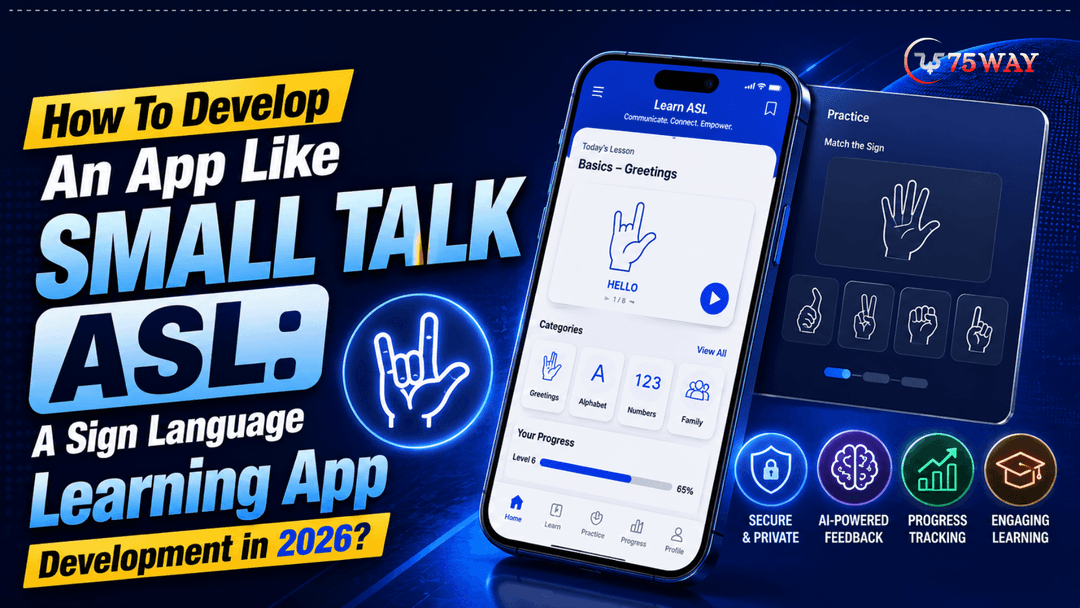
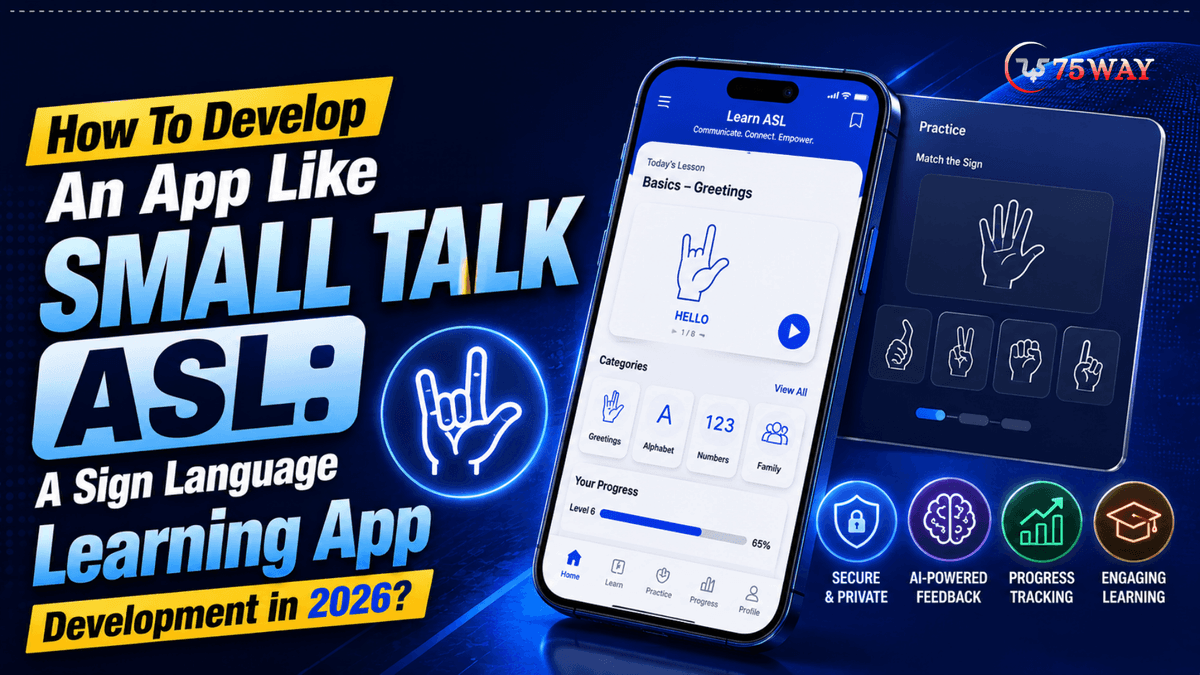
If you're planning to build a mobile app like Small Talk ASL, this guide explains the complete development process, essential features, AI technologies, technology stack, and estimated app development cost required to launch a modern ASL learning platform in 2026.
What Is Small Talk ASL App?
Small Talk ASL is a free, interactive educational application that helps people learn American Sign Language (ASL) through realistic 3D animation and engaging lessons. Unlike traditional sign language apps that rely on static images or recorded videos, it teaches signs using an animated Deaf character named Oscar.
This sign language learning app allows learners to observe hand movements, facial expressions, and body language from multiple angles. This immersive approach makes signs easier to understand, practise, and remember.
The application was created under the leadership of veteran Disney animator Josh Staub, whose animation portfolio includes acclaimed films such as Frozen, Tangled, and Wreck-It Ralph. Rather than building the app alone, he collaborated with a team of Deaf, hard-of-hearing, and hearing artists, designers, and engineers.
Their combined expertise ensured that the learning experience remained visually engaging while respecting the linguistic and cultural nuances of ASL.
One of the app's biggest strengths is its focus on accessibility. Learners can rotate Oscar to study signs from different perspectives, slow down animations to analyze each movement, and replay lessons until they feel confident. This flexibility supports beginners while also helping experienced learners refine their signing accuracy.
What Makes Small Talk ASL Different From Other Sign Language Apps?
Many sign language applications rely on videos or static illustrations, which often make it difficult to understand subtle hand movements and facial expressions. Small Talk ASL takes a different approach by using an animated 3D character that demonstrates signs naturally. Here are the features that distinguish it from many existing solutions.
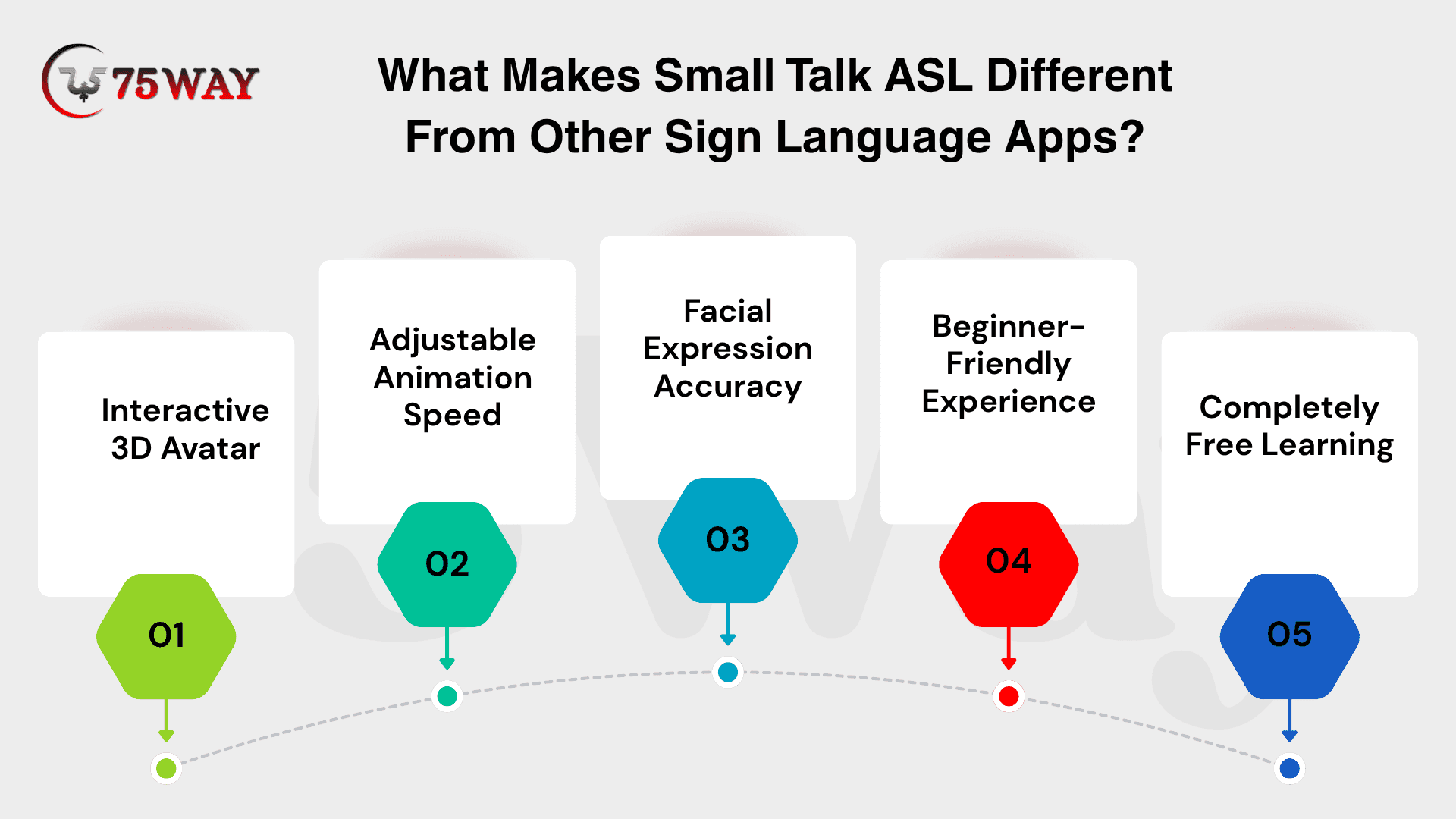
- Interactive 3D Avatar: Oscar performs every sign with realistic movements, allowing learners to understand gestures from multiple viewing angles instead of relying on flat visuals.
- Adjustable Animation Speed: Users can slow down, pause, or replay animations to study each movement carefully before practising independently.
- Facial Expression Accuracy: American Sign Language depends on facial expressions as much as hand movements. The animated character demonstrates both together, improving learning accuracy.
- Beginner-Friendly Experience: Simple navigation and organised lessons make the application suitable for children, adults, educators, and first-time learners.
- Completely Free Learning: The application removes financial barriers by offering educational content without subscription fees or hidden costs.
Market Opportunity For Sign Language Learning App Development
The demand for accessible education technology continues to expand across the United States. Educational institutions, healthcare organisations, businesses, and government agencies increasingly promote inclusive communication, creating new opportunities for digital ASL learning platforms.
At the same time, mobile learning has become the preferred choice for many users because it offers flexibility and self-paced education. Applications that combine engaging lessons, accessibility features, and personalized learning experiences can attract a broad audience beyond the Deaf community.
Other factors are:
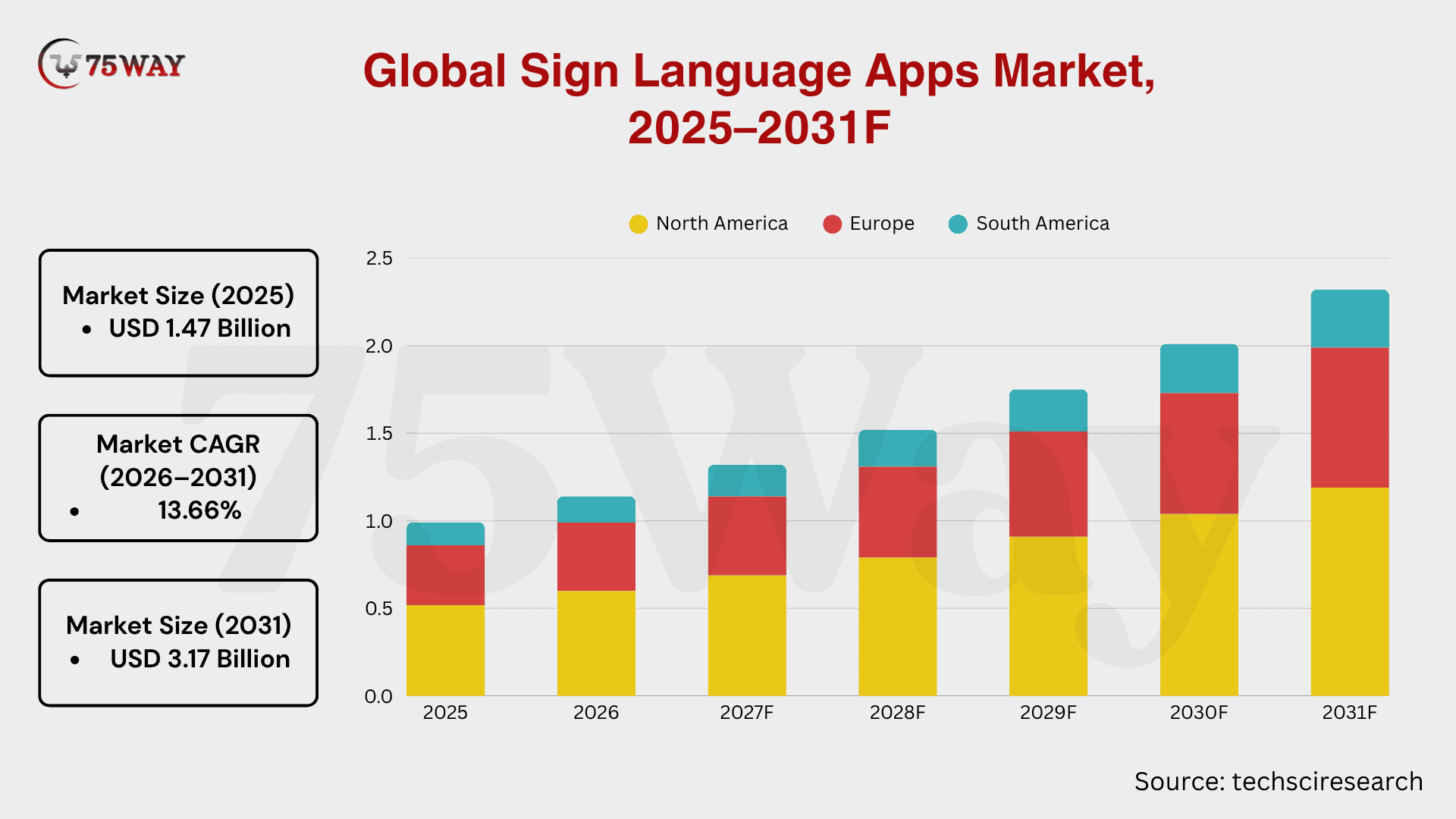
- According to TechSci Research, the global sign language apps market is projected to grow from $1.47 billion in 2025 to $3.17 billion by 2031, at a CAGR of 13.66%.
- Around 90%–95% of deaf users who use on-demand interpretation apps report having no alternative access to professional sign language services, as per GSMA report.
- The global sign language learning apps market is expected to reach $7.1 billion by 2034, expanding at a CAGR of 12.8%.
- North America remains the leading regional market, generating $926.4 million and accounting for 38.6% of global revenue.
Advanced Features To Build A Sign Language Learning App Like Small Talk ASL
Basic lessons may attract users, but they rarely keep them engaged for months. People expect an app that understands their progress, corrects mistakes instantly, and makes practice enjoyable. That's exactly where advanced features make a real difference.
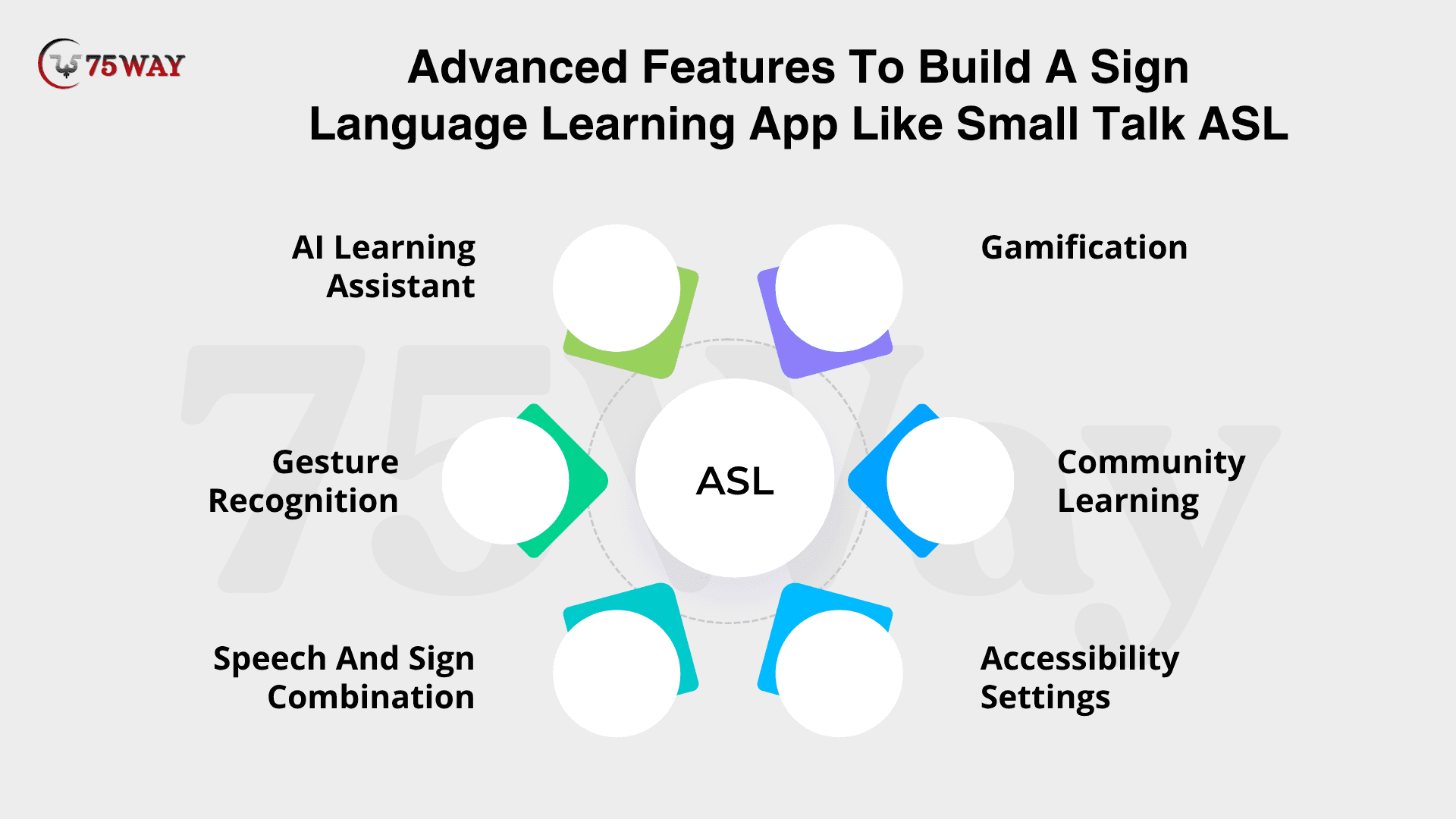
- AI Learning Assistant
Not every learner struggles with the same signs. Some need more finger-spelling practice, while others find conversational phrases difficult. An AI assistant identifies these patterns and adjusts the learning journey automatically.
Instead of asking users to repeat every lesson, it recommends exercises that match their current skill level, making every study session feel more relevant.
- Gesture Recognition
Imagine practising a sign without knowing whether you're doing it correctly. That uncertainty slows learning. By using the device's camera, the app can compare a learner's hand movements with the correct gesture and point out mistakes instantly.
Users gain confidence because they receive immediate feedback instead of waiting for a teacher or mentor.
- Speech And Sign Combination
Real conversations don't always rely only on signing. Many users also want to understand spoken English while communicating through American Sign Language.
Presenting speech, captions, and signs together helps learners connect words with gestures, making conversations easier to understand in everyday situations.
- Gamification
Most people lose motivation after the first few weeks of learning something new. Small rewards can change that.
Daily streaks, badges, friendly competitions, and milestone achievements give users another reason to return. Progress feels visible, and learning becomes something they look forward to instead of postponing.
- Community Learning
Learning alone can become repetitive. Giving users a space to ask questions, practise with others, or celebrate milestones creates a stronger sense of belonging.
Whether someone is just starting or already knows hundreds of signs, an active community keeps learners engaged long after they complete their first lessons.
- Accessibility Settings
A sign language learning app should welcome every user from the moment they open it. Adjustable text sizes, voice guidance, captions, high-contrast themes, and screen reader support remove common barriers and make the experience comfortable for people with different accessibility needs.
Inclusive design isn't just a nice addition. It allows more people to learn without limitations.
Step-By-Step Process For Small Talk ASL-Style App Development
An app like Small Talk ASL requires more than great animations. It needs a clear development strategy from day one. The comprehensive process below outlines the key stages involved in creating an engaging, feature-rich, and production-ready ASL learning application like Small Talk ASL.
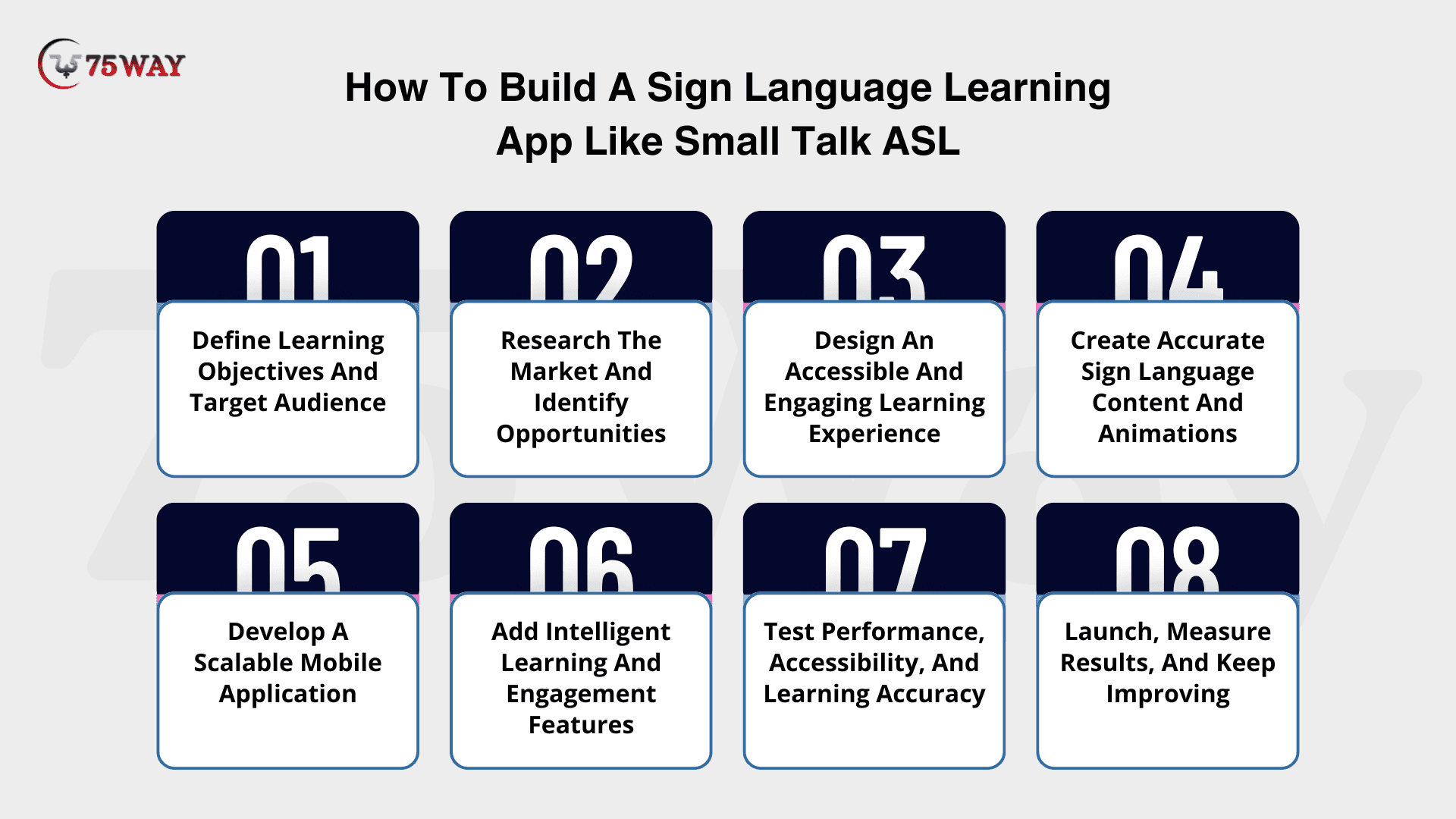
Step 1. Define Learning Objectives And Target Audience
Before discussing features or technologies, decide who the app is actually for. Is it designed for complete beginners, children, schools, healthcare professionals, parents of Deaf children, or workplace accessibility training? Each audience learns differently and expects different content.
Clear learning objectives also shape the entire product. They influence lesson difficulty, practice methods, user interface, accessibility features, and even the type of progress tracking your app should offer. Starting with a well-defined audience prevents unnecessary features and keeps development focused on solving real user needs.
Step 2. Research The Market And Identify Opportunities
A successful app doesn't copy competitors. It improves on them. Study popular sign language learning apps, read user reviews, and identify common frustrations. You may discover that learners want more interactive practice, better progress tracking, or improved accessibility features.
This research helps define your unique value proposition before development begins. Instead of creating another similar app, you build one that addresses genuine gaps in the market.
Step 3. Design An Accessible And Engaging Learning Experience
Users should never feel confused about what to learn next. That's why UX design goes beyond attractive screens. It involves organising lessons logically, simplifying navigation, reducing unnecessary distractions, and making every interaction easy to understand.
Accessibility should also be considered from the beginning rather than added later. Features like readable typography, captions, high-contrast colours, and intuitive layouts create a smoother experience for every learner while supporting inclusive education.
Step 4. Create Accurate Sign Language Content And Animations
This stage determines the educational quality of your application. Whether you use 3D avatars, recorded instructors, or animated characters, every sign must accurately represent hand shapes, movement, body posture, and facial expressions.
Working with certified ASL experts during content production helps prevent incorrect demonstrations that could confuse learners. Accurate educational content also strengthens your app's credibility and long-term reputation.
Step 5. Develop A Scalable Mobile Application
Once the learning content is ready, developers build the technical foundation of the application. This includes user authentication, lesson management, cloud synchronisation, progress tracking, notifications, analytics, and secure data storage.
A scalable architecture allows the platform to support thousands of learners, new courses, and future feature updates without affecting performance as your user base grows.
Step 6. Add Intelligent Learning And Engagement Features
After the core platform is stable, introduce features that personalize the learning experience. AI-based lesson recommendations, gesture recognition, quizzes, achievement systems, reminders, and adaptive learning paths make the app more interactive and encourage users to practise consistently.
These capabilities don't simply add functionality. They increase retention by making learning feel relevant and rewarding for every individual.
Step 7. Test Performance, Accessibility, And Learning Accuracy
Testing isn't limited to fixing technical bugs. Every lesson, animation, and interactive activity should be reviewed to confirm it teaches signs correctly and remains easy to use across different devices.
Comprehensive testing should also cover accessibility standards, loading speed, security, responsiveness, and overall usability. Identifying issues before launch reduces negative reviews and creates a more reliable learning experience from day one.
Step 8. Launch, Measure Results, And Keep Improving
Launching your app marks the beginning of the product journey, not the end. Monitor user behaviour, track lesson completion rates, analyze retention, and collect feedback to understand how learners interact with the platform.
Regular updates based on real user insights help introduce new lessons, improve existing features, and adapt to changing learning needs. Continuous improvement keeps users engaged and allows the application to remain competitive as the market evolves.
Best Technology Stack For Small Talk ASL App Clone Development
The technology stack determines how smoothly your application performs as your user base grows. Since sign language apps rely on high-quality animations, cloud synchronisation, and interactive learning, every technology should support performance, scalability, and future AI integration.
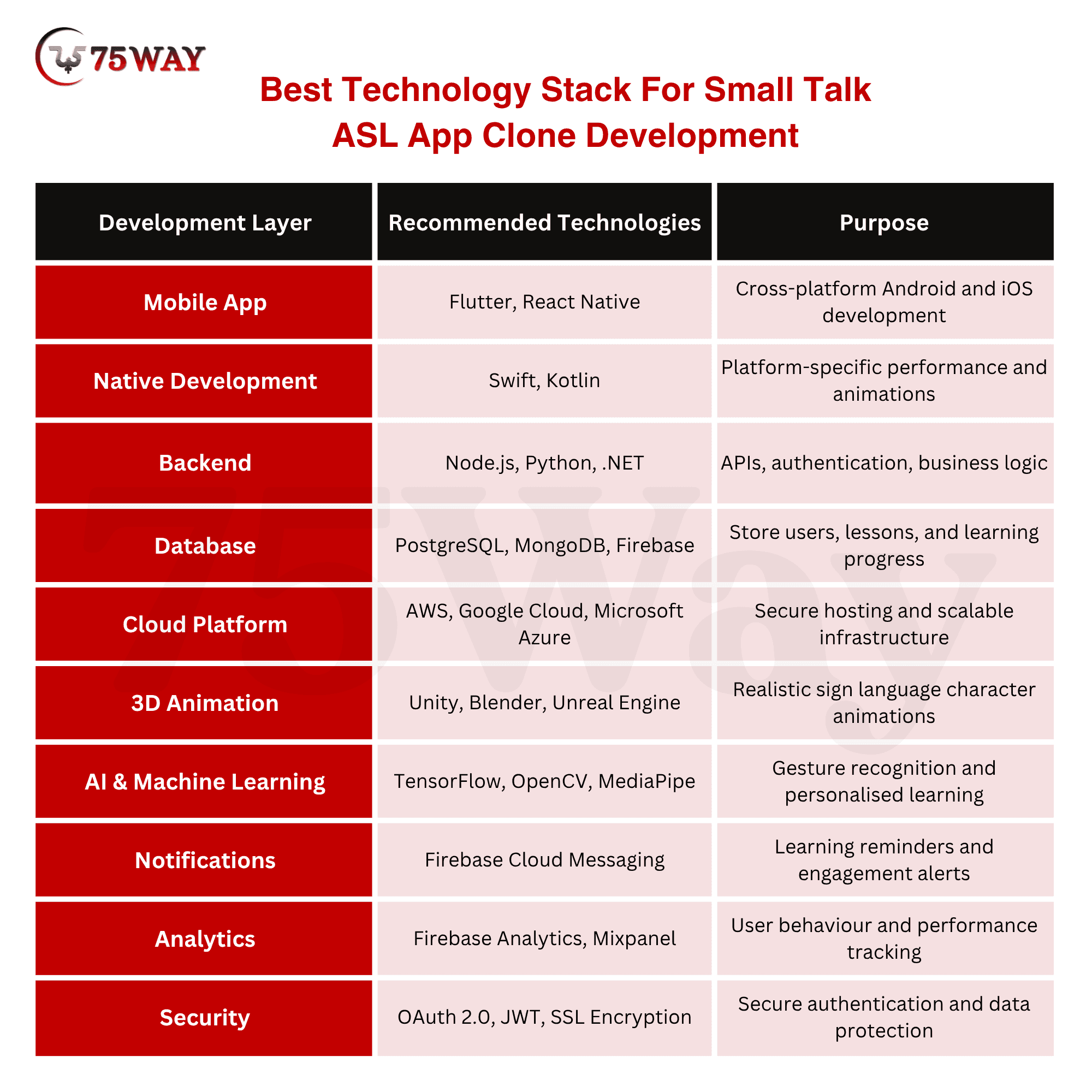
A scalable technology foundation allows your application to introduce new lessons, AI capabilities, and accessibility improvements without rebuilding the platform later.
How AI Can Make Small Talk ASL A Sign Language Learning App Smarter
Artificial intelligence is changing how educational applications personalize learning experiences. Instead of showing identical lessons to every learner, AI analyzes user behaviour and recommends content that matches individual progress. This improves engagement while helping users learn.
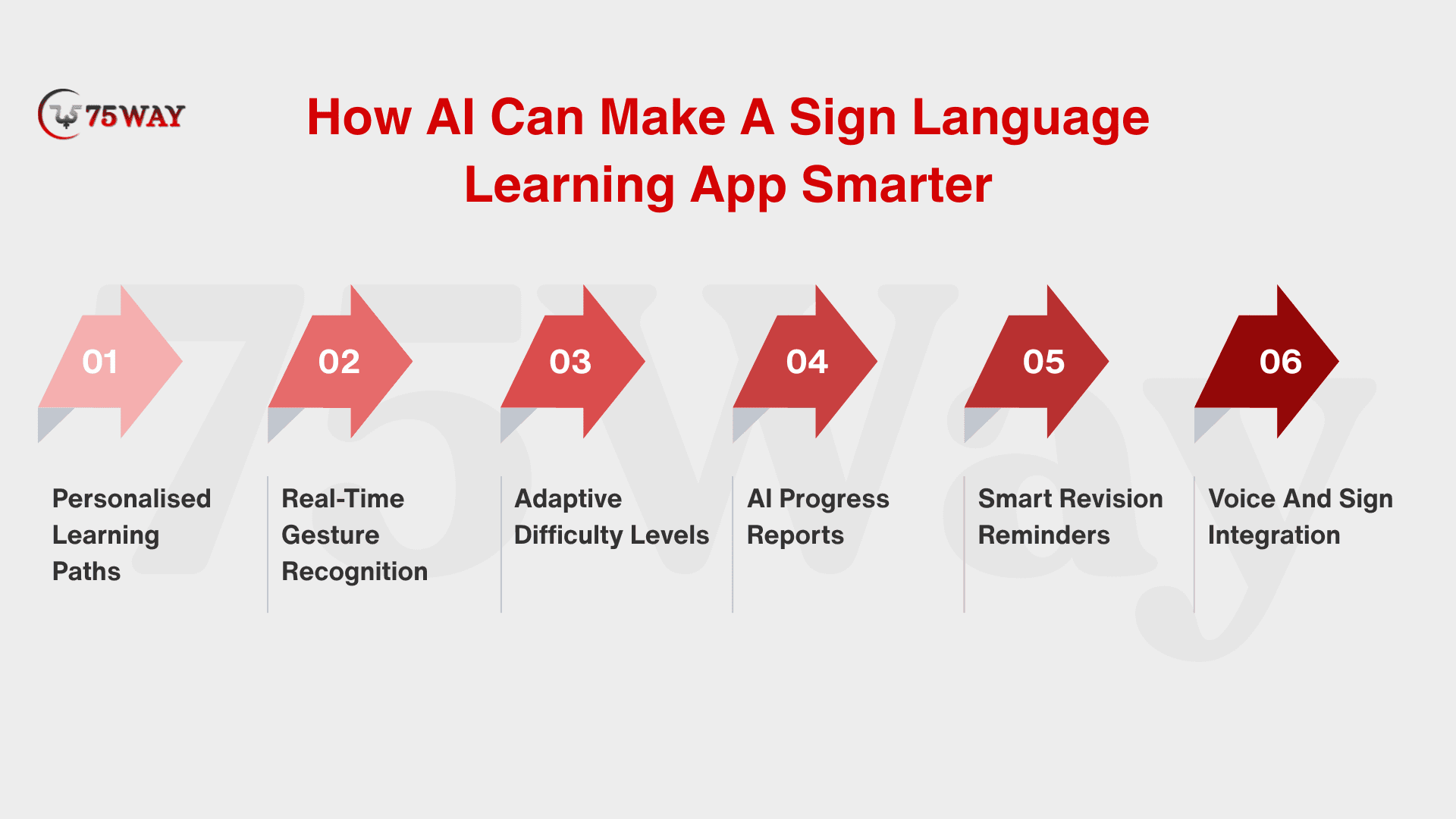
- Personalized Learning Paths: AI recommends lessons based on completed exercises, learning speed, and areas requiring additional practice.
- Real-Time Gesture Recognition: Computer vision analyzes hand movements through the device camera and provides instant feedback on signing accuracy.
- Adaptive Difficulty Levels: Lesson complexity automatically increases as users gain confidence, keeping the learning journey challenging without becoming overwhelming.
- AI Progress Reports: Generate detailed insights showing vocabulary growth, practice consistency, strengths, and improvement opportunities.
- Smart Revision Reminders: AI identifies forgotten lessons and schedules revision sessions to improve long-term knowledge retention.
- Voice & Sign Integration: Combine speech recognition with sign language lessons to strengthen two-way communication skills.
These capabilities not only improve learning outcomes but also increase user retention, making AI a valuable investment when planning to build a mobile app like Small Talk ASL.
How Much Does It Cost To Build An App Like Small Talk ASL?
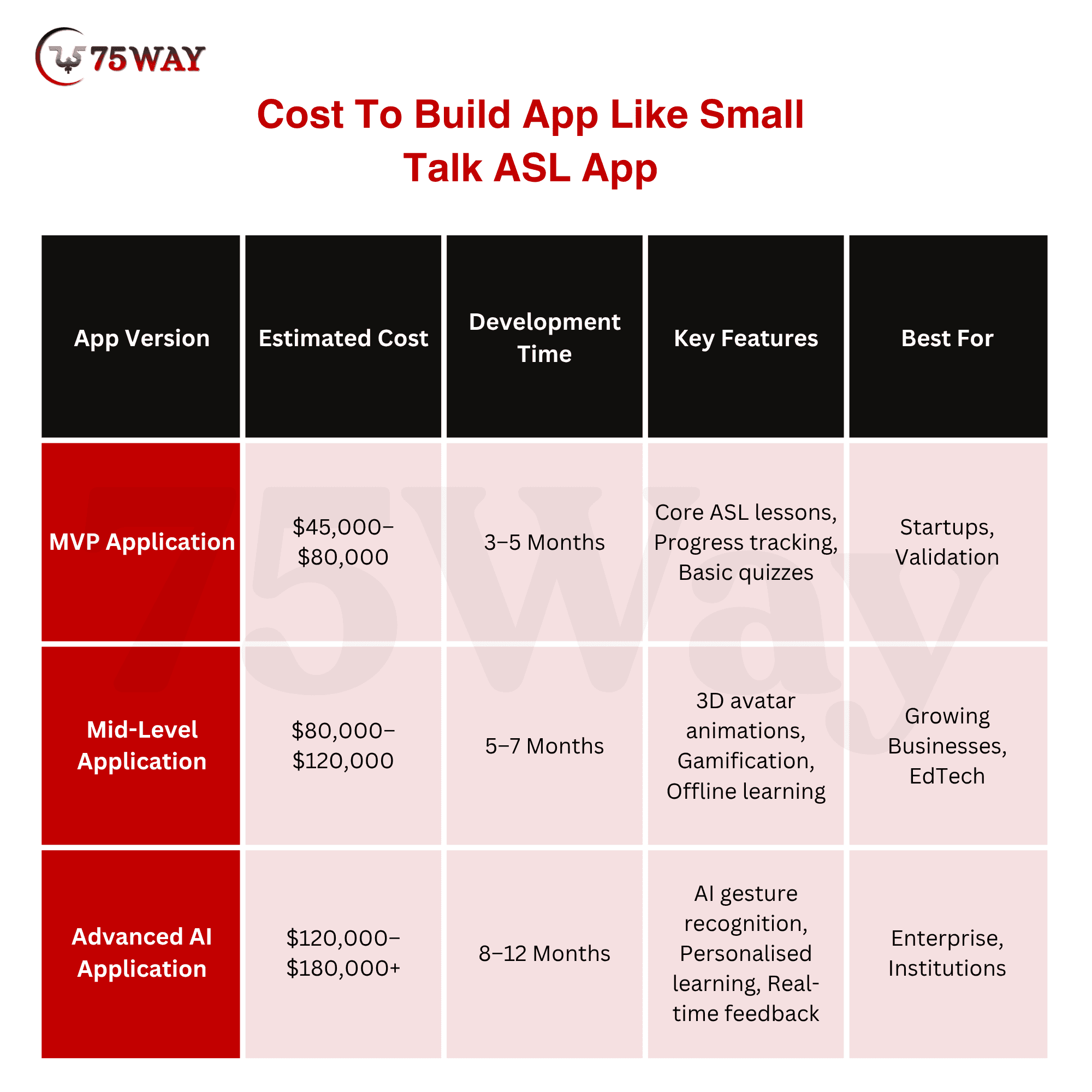
Development costs to create a Small Talk ASL-style app depend on application complexity, animation quality, AI capabilities, supported platforms, and the expertise of your development partner. An average cost to develop a sign language learning app like Small Talk ASL lies between $45,000-$180,000+.
- MVP Application
Estimated Cost:$45,000–$80,000
An MVP focuses on launching a market-ready product with essential ASL lessons, animated sign demonstrations, user registration, quizzes, and progress tracking. It helps validate demand, collect user feedback, and secure early adopters before investing in advanced functionality.
- Mid-Level Application
Estimated Cost:$80,000–$120,000
This version enhances the learning experience with a fully animated 3D signing avatar, gamified lessons, offline learning, personalised dashboards, and cloud synchronisation. It is suitable for businesses planning to scale beyond an initial launch while improving user engagement and retention.
- Advanced AI Application
Estimated Cost:$120,000–$180,000+
An enterprise-grade solution combines AI-powered gesture recognition, adaptive learning paths, real-time signing feedback, multilingual support, analytics dashboards, and seamless third-party integrations. It is designed for organisations that require a scalable platform capable of supporting large user communities and continuous innovation.
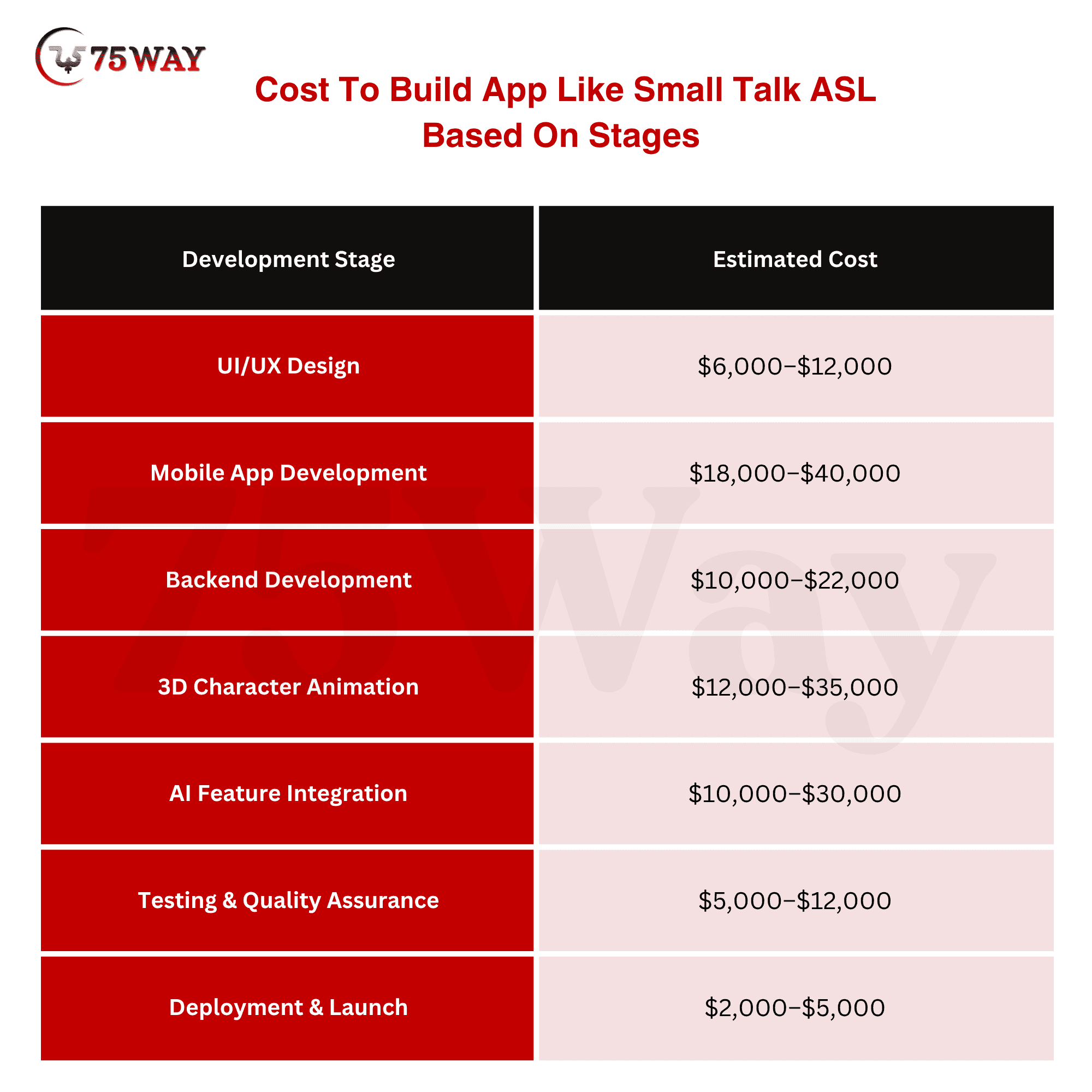
Cost To Build App Like Small Talk ASL App Based On Stages
The total cost of developing an app like Small Talk ASL depends on how much work is completed during each stage of the project. The breakdown below estimates development costs across every phase, helping businesses understand where their budget is typically allocated.
- UI/UX Design: $6,000–$12,000
- Mobile App Development: $18,000–$40,000
- Backend Development: $10,000–$22,000
- 3D Character Animation: $12,000–$35,000
- AI Feature Integration: $10,000–$30,000
- Testing & Quality Assurance: $5,000–$12,000
- Deployment & Launch: $2,000–$5,000
Common Challenges During Small Talk ASL-Style Learning App Development
A sign language learning app demands far more precision than a typical eLearning platform. Users rely on every lesson to learn a real communication skill, so accuracy, accessibility, and performance can't be treated as optional. Even one weak area can affect user trust, engagement, and learning outcomes. That's why experienced development teams identify these challenges early and build solutions into the product from day one.
- Maintaining Sign Accuracy
Every sign tells a story, and even the smallest mistake can change its meaning. Incorrect finger placement, awkward hand movement, or missing facial expressions may confuse learners and create long-term learning errors.
Close collaboration with certified ASL instructors and native signers helps validate every lesson before it reaches users, ensuring the content remains authentic and educational.
- Creating Realistic Sign Animations
Learners should focus on understanding signs, not struggling to interpret stiff or unnatural animations. Every gesture needs smooth hand movements, accurate body posture, and expressive facial cues that reflect real conversations.
Achieving that level of realism requires experienced 3D artists, motion designers, and continuous optimisation to deliver consistent quality across different devices.
- Delivering An Accessible Experience
Accessibility sits at the heart of a sign language learning app. Clear navigation, readable typography, captions, adjustable text sizes, high-contrast themes, and screen reader support allow more people to learn comfortably.
A thoughtful accessibility strategy also improves usability for every user, regardless of age or ability.
- Keeping Learners Coming Back
Many educational apps lose users because the learning experience becomes predictable after the first few lessons.
Fresh challenges, personalised recommendations, daily streaks, quizzes, and achievement rewards give learners a reason to return. Consistent engagement leads to better retention, stronger learning outcomes, and higher lifetime value.
- Optimising Performance On Every Device
Fast performance matters just as much as great features. High-quality animations, AI-powered recommendations, and gesture recognition should feel smooth on both premium and mid-range smartphones.
Efficient architecture, lightweight assets, and rigorous testing help deliver a responsive experience without excessive battery drain or frustrating loading times.
- Expanding Content Without Compromising Quality
User expectations continue to grow after launch. New vocabulary, real-life conversations, advanced lessons, and specialised learning paths should arrive regularly to keep the platform relevant.
A structured content strategy, supported by expert reviews and scalable content management, makes future expansion faster while maintaining the same high educational standards across every lesson.
Future Trends In Sign Language Learning Apps
Technology continues to reshape digital education, and sign language applications are evolving far beyond traditional lesson libraries. Future platforms will combine immersive experiences with intelligent learning systems that adapt to every user.
- AI-Powered Signing Coaches: Virtual tutors will analyse user performance and deliver personalised improvement suggestions in real time.
- Augmented Reality Learning: AR will allow users to practise signs within realistic everyday environments instead of standard lesson screens.
- Real-Time Translation: Advanced AI will increasingly support live communication between spoken language and sign language.
- Wearable Device Integration: Smart glasses and wearable technology may provide hands-free guidance during learning sessions.
- Multiplayer Learning Experiences: Learners will practise conversations together through collaborative activities, virtual classrooms, and live community sessions.
- Advanced Analytics: Learning dashboards will provide educators and organisations with detailed performance insights to improve training outcomes.
Conclusion
To summarize, Small Talk ASL demonstrates how thoughtful design, realistic animation, and accessibility can transform sign language education into an engaging digital experience. Building a similar platform requires much more than developing lessons. It demands accurate ASL content, intuitive user journeys, scalable architecture, and intelligent technologies that keep learners motivated.
Whether you're launching an MVP or an enterprise-grade solution, investing in the right strategy from the beginning can improve user adoption and long-term success. If you're planning to build an app like Small Talk ASL, partner with a trusted AI-powered educational app development company to create an innovative, scalable, and future-ready learning solution.
Frequently Asked Questions (FAQs)
Can A Sign Language Learning App Support Multiple Sign Languages?
Yes, the platform can support ASL, BSL, Auslan, and other sign languages through separate learning modules. Each language requires culturally accurate content and expert validation.
How Can Businesses Generate Revenue From A Sign Language Learning App?
Revenue can come from subscriptions, premium courses, institutional licensing, certifications, and in-app purchases. B2B partnerships with schools and organisations also create recurring income.
Who Should Validate The Sign Language Content Before Launch?
Certified ASL instructors, Deaf educators, and language experts should review every lesson for accuracy. Their feedback ensures authentic learning and improves user trust.
Can Schools And Organisations Use The Same Application?
Yes, role-based access allows institutions to manage multiple learners from a single platform. Separate dashboards can support educators, administrators, and students efficiently.
How Often Should New Learning Content Be Added?
Adding fresh lessons every few weeks keeps learners engaged and encourages regular practice. Frequent updates also improve user retention and long-term application value.
Why Is Accessibility Important Beyond The Deaf Community?
Accessibility benefits parents, educators, healthcare professionals, and businesses communicating with Deaf individuals. Inclusive design also expands your potential audience and strengthens overall user experience.