Summary
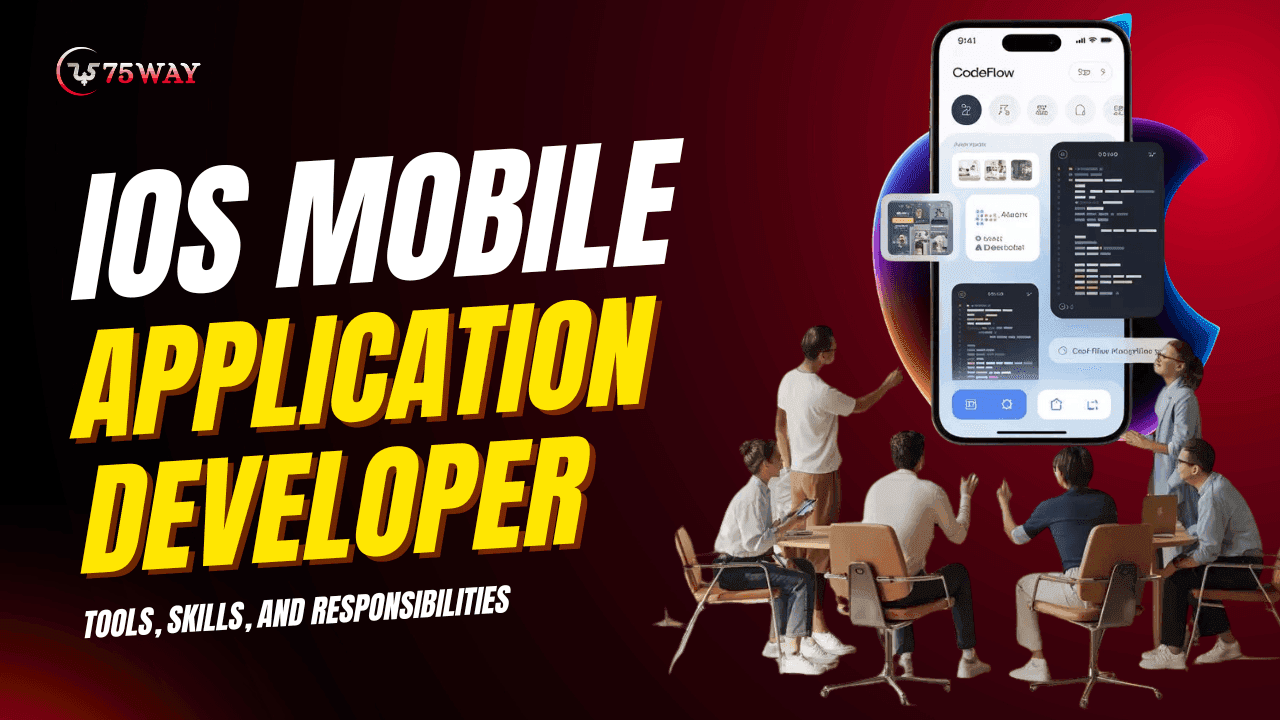
iOS mobile application developers design, build, and maintain applications for Apple devices using tools like Swift, Xcode, and UIKit. Their responsibilities include UI development, API integration, debugging, and performance optimization. This guide explains essential skills, tools, workflows, and professional roles required to succeed in modern iOS development environments.
Quick Overview
- iOS developers build apps using Apple ecosystem tools and frameworks
- Swift and Xcode are core technologies in modern development workflows
- Responsibilities include coding, debugging, and performance optimization tasks
- Strong UI/UX understanding improves app usability and engagement significantly
- Average iOS developer cost ranges $25–$200+ hourly based on expertise.
Unlike general software development, iOS development operates within a tightly controlled ecosystem defined by Apple’s standards, design principles, and performance expectations. This creates a unique engineering environment where precision, usability, and optimization are not optional but required.
Modern businesses depend heavily on mobile-first experiences, and iOS application development solutions often represent the premium side of that ecosystem. As a result, the role of an iOS developer has evolved from simple coding to full-cycle product engineering.
This article explains the tools, technical skills, responsibilities, and evolving roles of iOS mobile application developers in modern app ecosystems. It also highlights how these roles contribute to building scalable, user-centric digital products in competitive markets.
What’s The Role of an iOS Mobile Application Developer
An iOS mobile application developer is responsible for building applications that run on Apple devices such as iPhones, iPads, and Apple Watches. However, the role extends far beyond writing code. It involves understanding user behavior, designing intuitive interfaces, integrating backend systems, and ensuring performance stability across devices. In modern development teams, iOS developers collaborate with:
- Product managers
- UI/UX designers
- Backend engineers
- QA testers
- DevOps teams
This makes the role both technical and collaborative.
Core Responsibilities of iOS Developers
iOS developers play a critical role in building high-quality mobile applications that meet Apple’s strict ecosystem standards. Their responsibilities span design, development, integration, testing, and long-term maintenance to ensure seamless performance and exceptional user experience across devices.
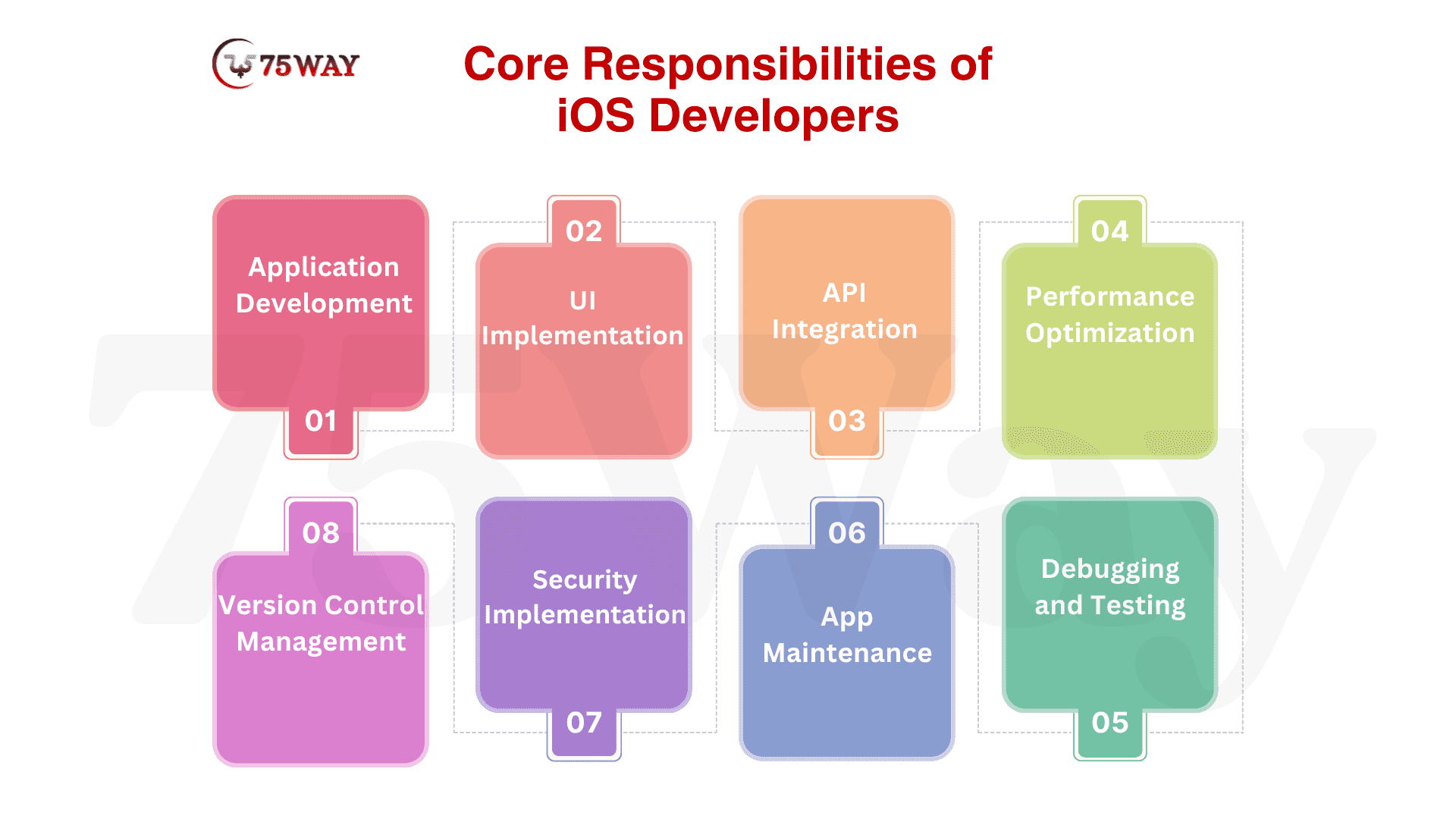
- Application Development
Writing clean, efficient, and scalable code in Swift or Objective-C is the foundation of iOS application development across diverse mobile projects and user requirements. Developers ensure code structure supports long-term maintainability and smooth feature expansion.
- UI Implementation
Building user interfaces that follow Apple’s Human Interface Guidelines ensures consistent design and intuitive user experience across all iOS devices and screen sizes. Developers focus on usability, responsiveness, and visual consistency to enhance engagement.
- API Integration
Connecting mobile applications with backend services and databases enables real-time data exchange and dynamic functionality across different system components. This ensures seamless communication between frontend interfaces and server-side logic for smooth application performance.
- Performance Optimization
Ensuring applications run smoothly without crashes or delays requires continuous monitoring and code refinement. Developers optimize memory usage, loading speed, and responsiveness to deliver a stable and efficient user experience across devices.
- Debugging and Testing
Identifying issues and fixing bugs across different device environments ensures application reliability and consistent performance. Developers use testing frameworks to detect errors early and maintain high-quality standards throughout the development lifecycle.
- App Maintenance
Updating applications for new iOS versions and feature improvements ensures long-term compatibility and user satisfaction. Regular maintenance helps applications stay secure, functional, and aligned with evolving platform requirements.
- Security Implementation
Protecting user data through encryption and secure coding practices ensures application safety and compliance with Apple’s security standards. Developers implement authentication systems to prevent unauthorized access and safeguard sensitive information.
- Version Control Management
Managing code changes using tools like Git ensures collaborative development efficiency and reduces conflicts. Developers track updates systematically to maintain project consistency and streamline team workflows.
Essential Tools for iOS Mobile Application Development
Tools play a crucial role in improving development efficiency, code quality, and application performance in iOS development. They help developers build, test, debug, and optimize applications while ensuring compatibility with Apple’s ecosystem standards and user experience guidelines.
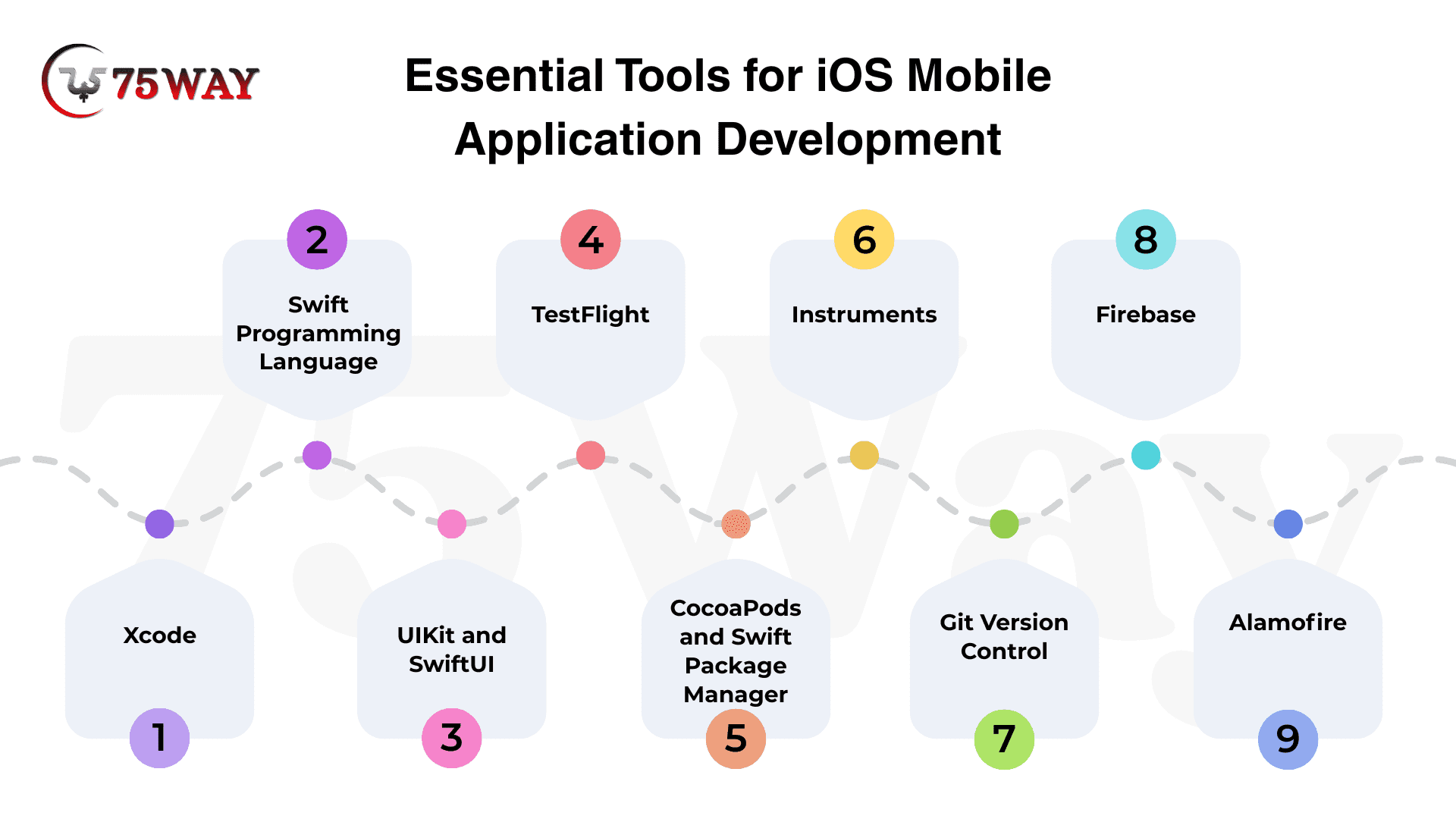
- Xcode: The primary integrated development environment used for building iOS applications provides coding, debugging, and interface design tools in a unified workspace. It enables developers to write, test, and deploy applications efficiently within Apple’s ecosystem.
- Swift Programming Language: A modern language designed for performance, safety, and readability, enables developers to build fast and reliable iOS applications. It reduces coding errors and improves development speed while supporting scalable and maintainable application architecture.
- UIKit and SwiftUI: Frameworks used for building user interfaces across Apple devices help create responsive and visually consistent application designs. They allow developers to implement dynamic layouts and ensure a seamless user experience across different screen sizes.
- TestFlight: Used for beta testing applications before public release, allows developers to distribute apps to testers and collect feedback. It helps identify bugs early and ensures application stability before launching in the App Store environment.
- CocoaPods and Swift Package Manager: Dependency management tools for integrating third-party libraries simplify the process of adding external functionalities. They ensure smooth integration, version control, and efficient management of reusable code components in development projects.
- Instruments: A performance analysis tool for memory, CPU, and energy optimization helps developers identify performance bottlenecks. It enables detailed monitoring and profiling to improve application efficiency and ensure a smooth user experience across devices.
- Git Version Control: A version control system helps developers track code changes and collaborate efficiently across teams. It ensures proper code management, reduces conflicts, and maintains project stability during multi-developer iOS application development.
- Firebase: A backend platform that provides authentication, database, and analytics services for iOS applications. It simplifies backend integration and supports real-time data synchronization, improving overall application scalability and performance.
- Alamofire: A networking library helps developers manage HTTP requests and API communication efficiently. It simplifies server interaction processes and improves code readability while ensuring reliable data exchange between mobile apps and backend systems.
Key Technical Skills To Look for While Hiring iOS Developer
Becoming a successful iOS developer requires a strong blend of programming expertise, architectural understanding, and design awareness. These skills ensure developers can build efficient, scalable, and user-friendly applications within Apple’s ecosystem.
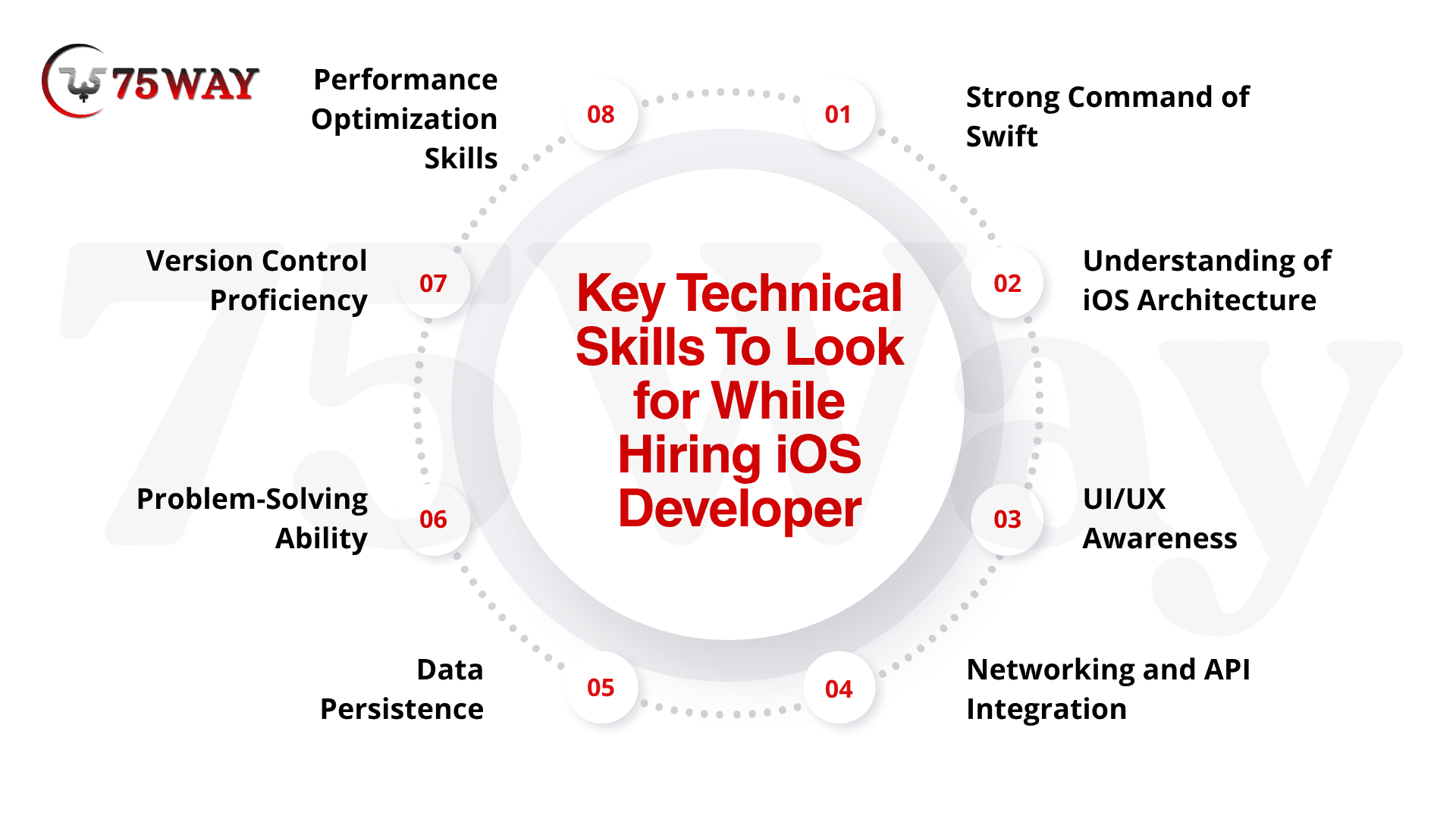
- Strong Command of Swift: Swift is the primary language for modern iOS development, enabling developers to build fast, safe, and efficient applications with clean and maintainable code structures.
- Understanding of iOS Architecture: Knowledge of MVC, MVVM, and other design patterns helps developers structure applications properly for scalability, maintainability, and efficient performance.
- UI/UX Awareness: The ability to build user-friendly and intuitive interfaces ensures better user engagement and smooth interaction across different Apple devices and screen sizes.
- Networking and API Integration: Understanding RESTful APIs and data handling allows developers to connect applications with backend systems for real-time data exchange and functionality.
- Data Persistence: Managing local storage using Core Data or SQLite ensures applications can store, retrieve, and manage user data efficiently, even offline.
- Problem-Solving Ability: Debugging complex issues efficiently across environments helps maintain application stability and ensures smooth performance under different conditions.
- Version Control Proficiency: Using Git and related tools enables developers to manage code changes, collaborate effectively, and maintain project consistency across teams.
- Performance Optimization Skills: Identifying bottlenecks and optimizing memory, speed, and responsiveness ensures applications deliver high-quality user experiences across all devices.
Types of iOS Engineer Roles You Can Hire
The iOS development field consists of multiple specialized roles that differ based on experience level, technical depth, and leadership responsibilities. Each role contributes uniquely to application design, development, optimization, and delivery within Apple’s ecosystem.
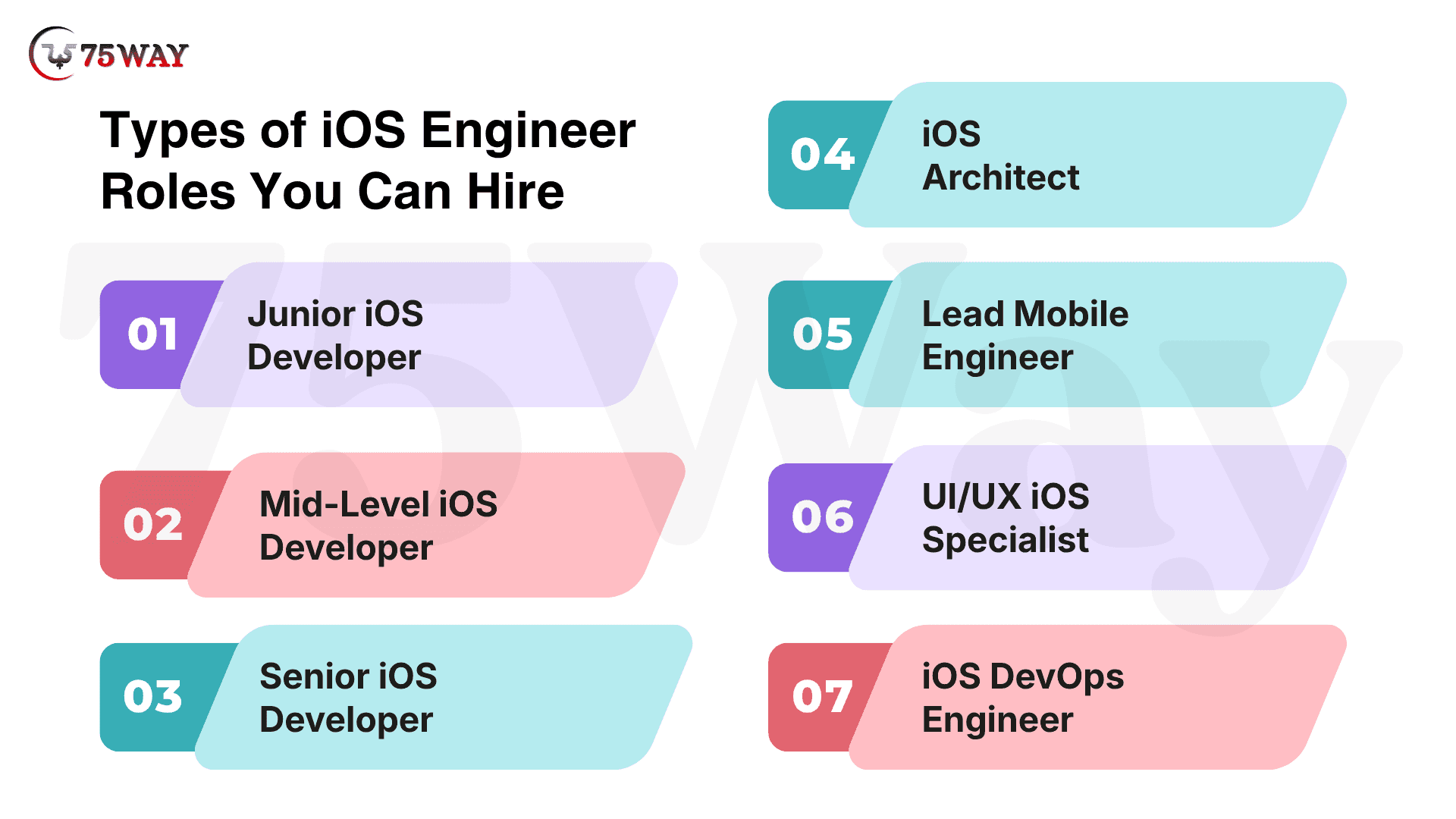
- Junior iOS Developer
The Junior iOS Developer role focuses on foundational coding skills, learning development practices, and supporting team tasks in application development projects. Early-stage responsibilities include debugging simple issues and understanding core Swift concepts. This role builds technical experience through guided development work and structured learning environments.
- Mid-Level iOS Developer
The mid-level iOS engineer role involves independent feature development, API integration, and implementation of application functionalities. Developers at this stage manage modules with limited supervision. They also contribute to performance improvements and ensure smooth execution of assigned development tasks across projects.
- Senior iOS Developer
The senior iOS Developer role involves architectural decision-making, system optimization, and mentoring junior developers within teams. This role ensures code quality, scalability, and performance efficiency across applications. Responsibilities also include reviewing complex implementations and guiding technical direction for project success.
- iOS Architect
The iOS engineer role focuses on designing scalable system structures and defining technical frameworks for application development. This position ensures long-term maintainability, performance stability, and integration efficiency. Architects collaborate with engineering teams to establish standards and optimize overall system design.
- Lead Mobile Engineer
Lead iOS mobile architect role manages development teams and aligns technical execution with business objectives. This role ensures timely project delivery, resource coordination, and strategic planning. Leadership responsibilities include guiding development processes and maintaining alignment between technology and product goals.
- UI/UX iOS Specialist
UI/UX iOS Specialist role focuses on designing intuitive interfaces and enhancing user experience across Apple devices. This role ensures visual consistency, usability, and adherence to Apple design guidelines. Specialists collaborate closely with developers to improve user engagement and interaction flow.
- iOS DevOps Engineer
An iOS DevOps developer role manages deployment pipelines, automation processes, and infrastructure optimization for mobile applications. This role ensures continuous integration, smooth releases, and system reliability. Responsibilities also include monitoring performance and improving development efficiency across environments.
How iOS Developers Build iPhone Apps?
A structured development workflow ensures iOS applications are built with consistency, scalability, and high performance. Each stage plays a crucial role in transforming an idea into a fully functional app that meets user expectations and Apple ecosystem standards.
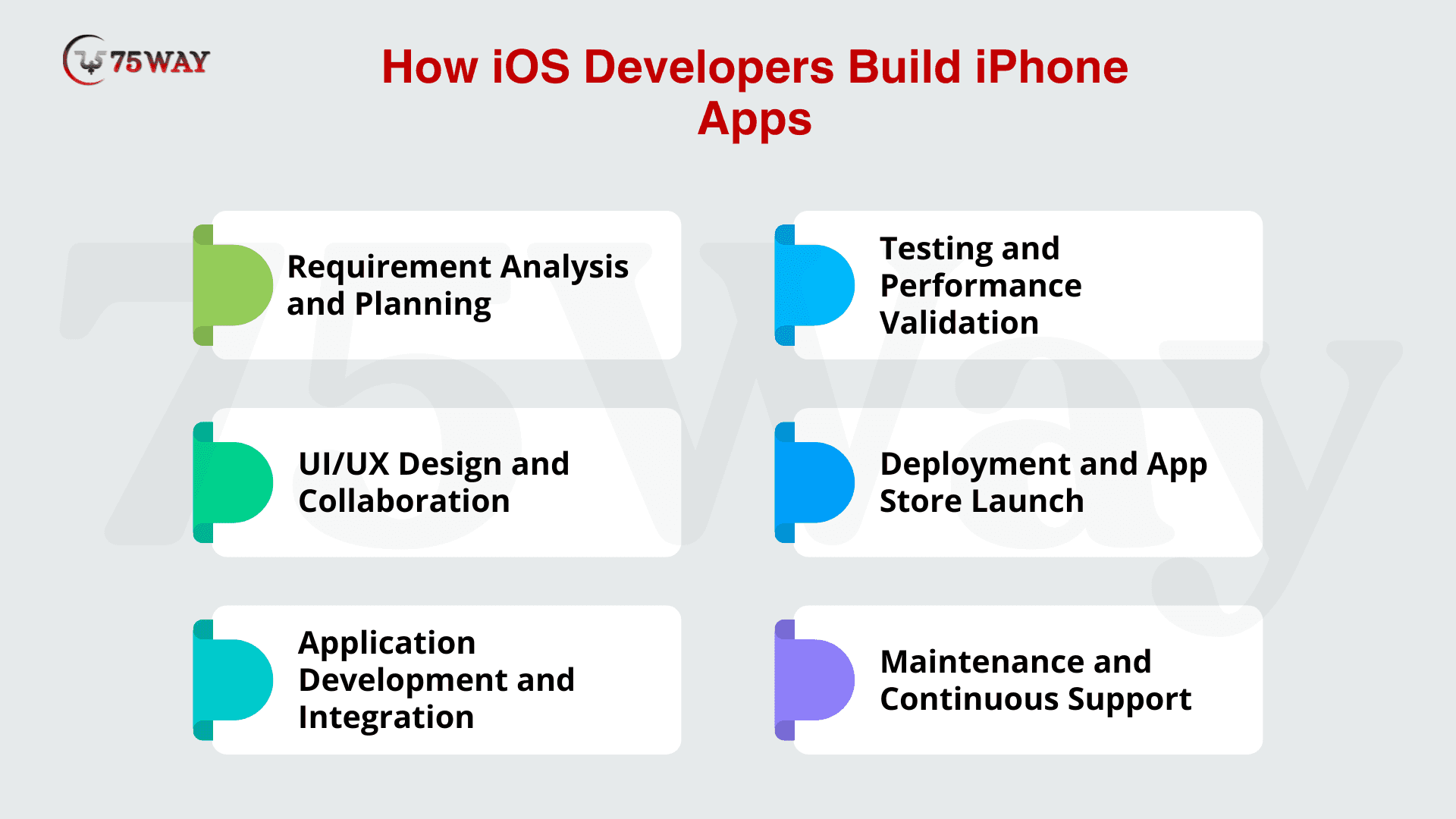
Step 1: Requirement Analysis
Starting from initial idea exploration, application goals, user expectations, and functional needs are clearly defined. This establishes a strong foundation for what the product must achieve in real usage scenarios.
Building further on this clarity, business objectives and technical constraints are evaluated to ensure feasibility. Detailed documentation created at this point guides all future technical and design decisions across the project lifecycle.
Step 2: UI/UX Design Collaboration
Following the requirement definition, visual and interactive layouts are created to translate ideas into user-friendly interfaces. Designers and developers collaborate to ensure concepts are practical and aligned with system capabilities.
Extending this process, user journeys and interaction flows are structured for smooth navigation and usability. This ensures a consistent experience across all iPhone devices and screen sizes.
Step 3: Development Phase
After design finalization, functional application components are built using Swift and modular coding practices. Core features are implemented based on approved specifications and system architecture.
Continuing implementation, backend services and APIs are integrated to enable dynamic functionality. Focus remains on performance, scalability, and adherence to Apple’s ecosystem standards throughout coding.
Step 4: Testing Phase
Once development is complete, application behavior is validated across devices and scenarios to identify functional and performance issues. Bugs and inconsistencies are detected through structured evaluation methods.
Further refinement includes debugging and optimization to ensure stability under real-world usage conditions. This ensures the product meets quality expectations before being prepared for release.
Step 5: Deployment & Final Launch
After successful validation, the application is prepared for App Store submission with final builds and configurations. Compliance with Apple’s publishing guidelines is ensured before submission.
Following review feedback, necessary adjustments are made to meet approval requirements. Once cleared, the application becomes available for users to download and install.
Step 6: Maintenance & Ongoing Support
After release, application performance is continuously monitored in real-world environments. User feedback and system behavior are tracked to identify improvement opportunities.
Based on insights gathered, updates are released to enhance features, fix issues, and ensure compatibility with new iOS versions. This maintains long-term stability and user satisfaction.
How to Hire iPhone App Developer?
Hiring an iOS application expert requires a structured approach to ensure you select a developer who can build scalable, secure, and high-performance mobile applications aligned with Apple’s ecosystem standards. It is not just about technical skills, but also product understanding and execution capability.
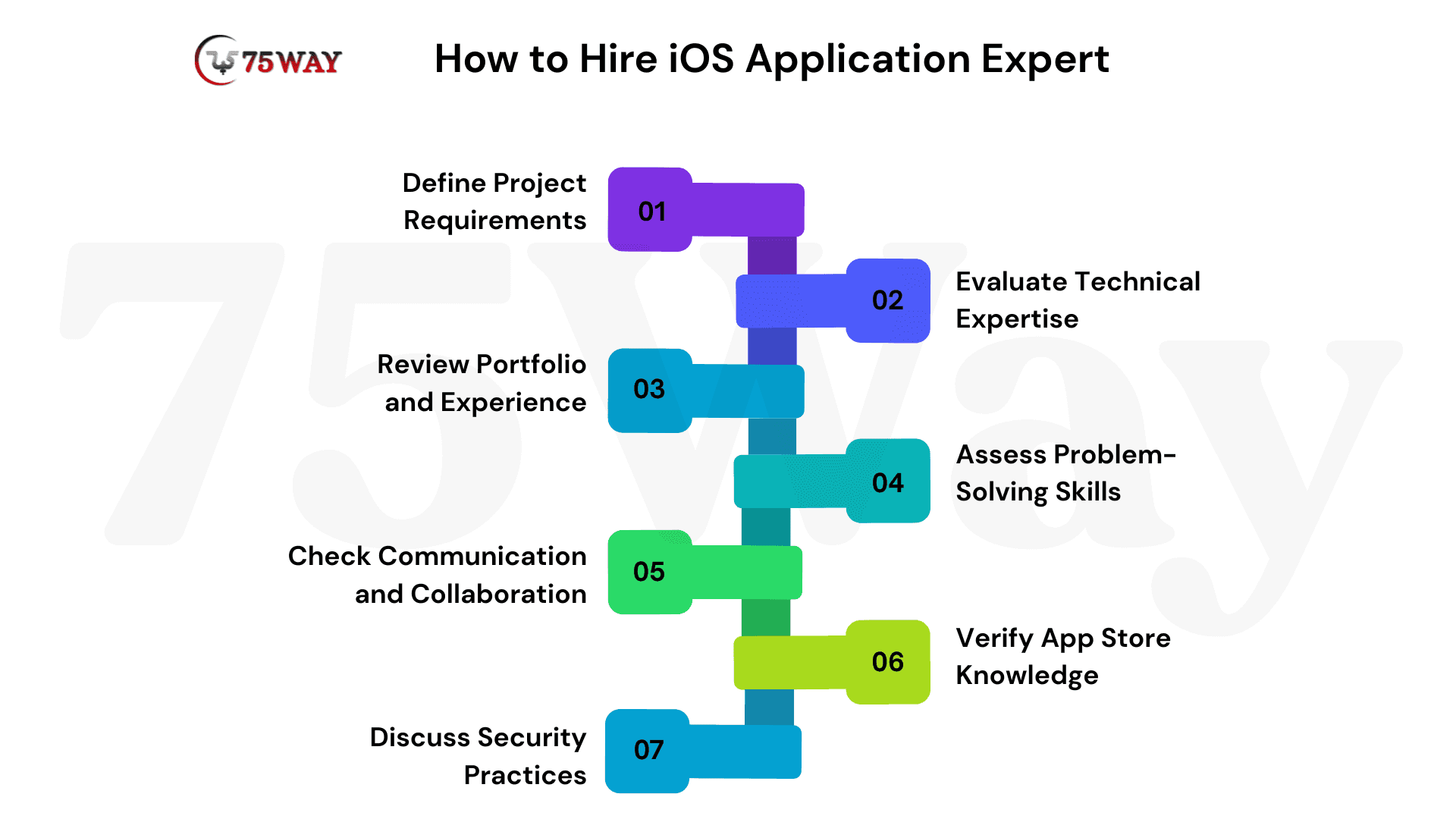
- Define Project Requirements: Start by clearly outlining your app idea, target audience, required features, and expected outcomes. A well-defined requirement helps you identify whether you need a freelancer, an in-house developer, or a dedicated development team with specialized iOS expertise.
- Evaluate Technical Expertise: Check proficiency in Swift, SwiftUI, UIKit, and iOS architecture patterns like MVC or MVVM. A strong understanding of API integration, performance optimization, and App Store guidelines is essential for building reliable applications.
- Review Portfolio and Experience: Analyze previous work to assess app quality, UI design standards, and functionality. Real-world experience in similar projects helps ensure the developer can handle complexity and deliver production-ready applications.
- Assess Problem-Solving Skills: Evaluate how the developer handles debugging, performance issues, and real-time challenges. Strong problem-solving ability ensures smoother development and reduces risks during execution.
- Check Communication and Collaboration: Ensure the expert can communicate clearly, understand business goals, and collaborate with designers and backend teams. Effective communication improves development speed and reduces misunderstandings.
- Verify App Store Knowledge: Confirm experience in publishing apps on the App Store, including handling Apple’s review process, guidelines, and rejection issues. This ensures smooth deployment without unnecessary delays.
- Discuss Security Practices: Make sure the developer follows secure coding practices, data encryption standards, and user privacy protection methods. Security is critical for maintaining trust and compliance.
Choose a developer who not only meets technical requirements but also aligns with your project vision, timeline, and scalability goals for long-term success.
What's The Cost to Hire an iOS Developer?
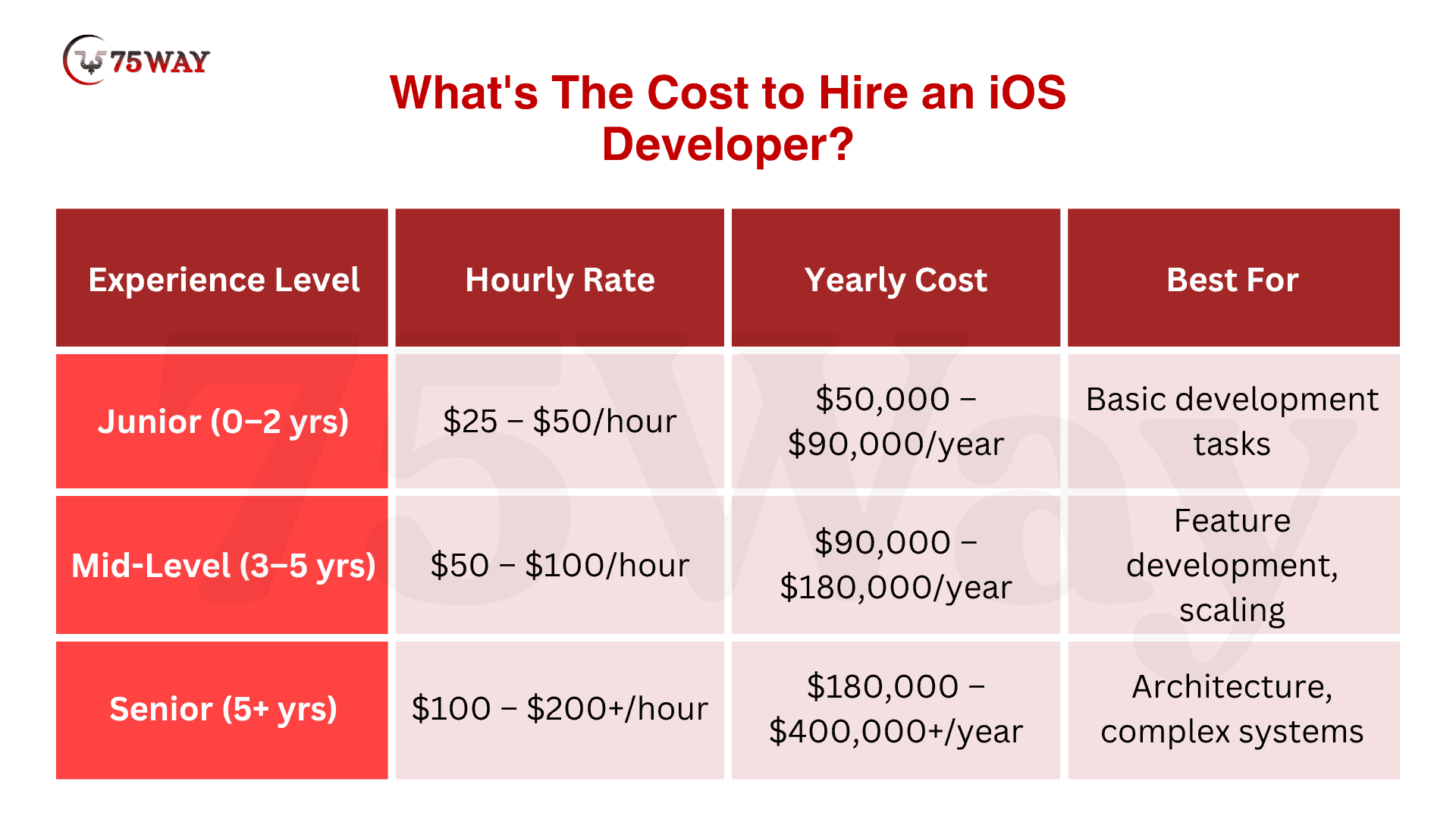
The cost to hire an iOS developer depends on experience level, project complexity, and location, with rates varying significantly across global markets. Businesses usually choose based on budget flexibility and required expertise, ranging from basic app support to advanced, scalable product development. On average, hiring an iOS developer costs $25–$200+/hour, depending on skill level and project requirements.
- Junior iOS Developer Cost: $25 – $50/hour
Handles basic development tasks, bug fixes, and supports core feature implementation.
- Mid-Level iOS Developer Cost: $50 – $100/hour
Works independently on modules, APIs, and contributes to system development.
- Senior iOS Developer Cost: $100 – $200+/hour
Leads architecture, manages complex systems, and oversees technical decisions.
Key Cost Factors Affecting Cost To Hire iOS App Engineers
- Location
U.S./Western Europe Cost: $80–$150+/hr
India/Eastern Europe Cost: $20–$60/hr, based on expertise and market standards.
- Project Complexity: Simple MVPs cost $3,000 – $10,000, while feature-rich apps with backend systems, payments, or AI capabilities can exceed $100,000+.
- Engagement Model: Freelancers cost $25–$80/hr, dedicated developers range $3,000–$10,000/month, while agency-based teams may cost $10,000–$50,000+ per project, depending on scope and support level.
Final Remarks
iOS mobile application development remains one of the most structured and high-value domains in software engineering. iOS developers working in this ecosystem are not only responsible for building applications but also for shaping user experiences that align with strict design and performance standards.
Businesses investing in iOS applications benefit from stronger engagement, better monetization opportunities, and improved brand positioning. At the same time, iOS engineers who master this ecosystem position themselves for long-term career growth in a rapidly evolving technology landscape where precision and usability define success.
To build high-quality, scalable applications, you can hire iOS app developers from a trusted mobile app development company that delivers expert-driven and reliable solutions tailored to your business needs.
Frequently Asked Questions (FAQs)
What Education Is Required To Become An iOS Developer?
Most iOS developers hold a degree in computer science, software engineering, or related fields. However, practical skills in Swift, iOS frameworks, and real-world project experience are often more important than formal education, especially in modern mobile application development environments.
Can Freelancers Become Successful iOS Developers?
Yes, freelancers can become highly successful iOS developers by building strong portfolios, gaining client trust, and delivering high-quality applications. Success depends on technical expertise, communication skills, and ability to manage end-to-end mobile app development projects independently.
How Long Does It Take To Learn iOS Development?
Learning iOS development typically takes three to six months for basics and six to twelve months for advanced skills. The timeline depends on consistency, prior programming experience, and practical exposure to real-world application development projects.
What Tools Do Beginners Need For iOS Development?
Beginners need Xcode, Swift programming language, and Apple developer documentation. Additional tools like Git for version control and simulators for testing help in building, debugging, and understanding iOS application development effectively from the start.
Is iOS Development Better Than Android Development?
Both iOS and Android development have strong career opportunities. iOS development often offers higher-paying roles and a more controlled ecosystem, while Android provides broader device reach. Choice depends on career goals and market preferences.
Do iOS Developers Need Design Skills?
iOS developers do not need advanced design skills but should understand UI/UX principles. This helps them implement user-friendly interfaces, follow Apple design guidelines, and collaborate effectively with designers during application development.