AI Summary
A successful car parking app does more than locate an open spot. It connects drivers, parking operators, payments, navigation, and real-time data in one experience. This guide explains essential features and their business value. You’ll learn what a competitive platform needs.
Key Takeaways
- Real-time parking availability in a car parking app helps drivers find and choose suitable spaces.
- Reservations and digital payments make parking simpler for customers.
- Navigation features connect parking discovery with convenient arrival experiences.
- Operator tools help businesses manage spaces, pricing, bookings, and revenue.
- Security, analytics, and scalability support long-term parking platform growth.
A parking app can look simple to the driver, but behind one successful parking session is a system handling availability, payments, locations, reservations, and real-time updates. For businesses, missing even one of these capabilities can turn a convenient idea into a frustrating customer experience.
That is why the essential features of car parking app development deserve more attention than visual design alone. The right feature set can help parking operators reduce manual work, improve space utilization, simplify payments, and give customers a faster way to find and secure parking.
For decision makers, the bigger question is not how many features an app can offer, but which ones can create measurable operational and commercial value. Features should support the business model, integrate with existing parking infrastructure, and leave room for future expansion.
This guide breaks down the essential features worth prioritizing in AI-powered car parking app development, explaining what each one does and why it matters from a business and customer perspective.
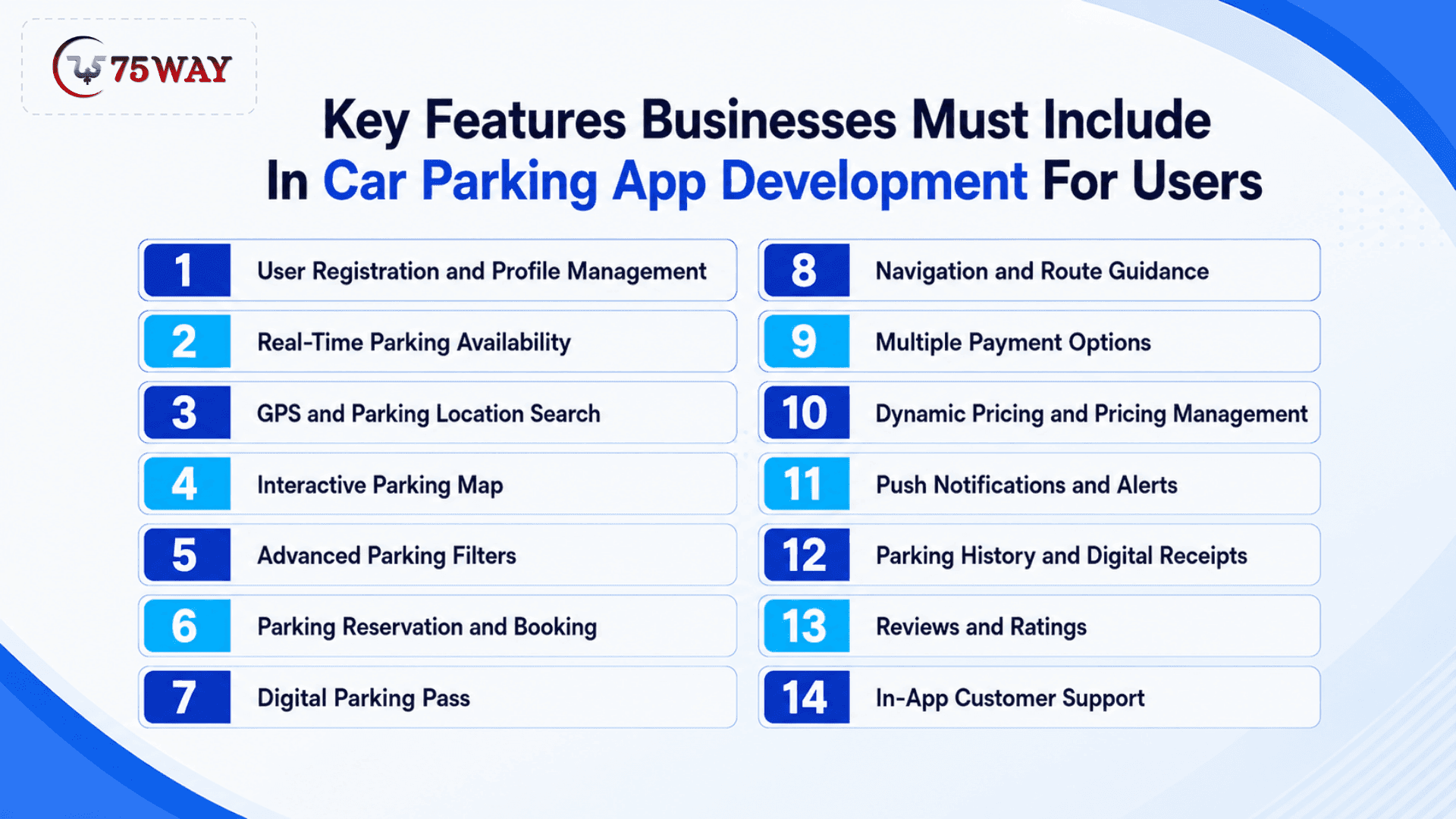
Key Features Businesses Must Include In Car Parking App Development For Users
The right parking app features can turn a frustrating search for a parking space into a quick, predictable experience for users. Businesses need to prioritize features that make finding, reserving, navigating to, and paying for parking simple. The key features that can make a parking app more useful and competitive are covered below.
1. User Registration and Profile Management
The first step is giving drivers a simple way to create and manage their accounts.
Users may register with an email address, phone number, or supported social sign-in option. Their profile can store information such as vehicle details, preferred payment methods, parking history, saved locations, and booking preferences.
For businesses, profile data can also support personalized experiences. For example, a returning customer may see previously used parking locations or receive relevant availability information without starting the search from scratch.
The goal should be simple account management rather than forcing users through unnecessary registration steps before they can explore parking options.
2. Real-Time Parking Availability
Real-time availability is one of the most important features in modern parking apps because drivers need to know whether a space is actually available before they commit to it.
The app can display available, occupied, reserved, or unavailable spaces depending on the data provided by parking operators, sensors, cameras, gates, or parking management systems.
For example, a driver searching for parking near a downtown office may see that Garage A has 42 spaces available while Garage B is nearly full.
The value comes from connecting the digital listing with current parking conditions. If availability data is outdated, users may lose trust in the platform quickly.
3. GPS and Parking Location Search
A parking app should make it easy to search for parking around a current location, destination, address, landmark, or selected area.
GPS can identify where the driver is located, while location search can help users plan parking before they start driving.
The interface can display nearby parking facilities on a map and allow users to compare options based on distance, price, availability, operating hours, or other relevant criteria.
This feature becomes especially valuable in unfamiliar areas where drivers may not know which garages or lots are nearby.
4. Interactive Parking Map
A map gives users a visual way to understand where parking is available.
Instead of presenting a long list of locations, the app can show parking facilities around the driver's destination. Selecting a location can then reveal details such as available spaces, pricing, hours, restrictions, amenities, and reservation options.
A useful parking map should also account for usability while driving. Information should be easy to understand without requiring users to navigate through multiple screens.
5. Advanced Parking Filters
Not every parking space is suitable for every driver.
A business parking app can allow users to filter options according to requirements such as:
- Price
- Distance
- Availability
- Covered or uncovered parking
- EV charging
- Accessible parking
- Valet availability
- Operating hours
- Height restrictions
- Reservation availability
- In-and-out privileges
These filters turn a broad parking search into a more relevant set of options.
For example, an EV driver may want to see only locations with charging stations, while a larger vehicle may require a facility with sufficient clearance.
6. Parking Reservation and Booking
Reservation functionality allows drivers to secure a parking space before arriving.
Users can select a parking location, choose an arrival and departure time, review the price, and confirm the reservation.
This feature is particularly useful for airports, stadiums, hotels, offices, event venues, and busy commercial areas where parking demand can change significantly throughout the day.
For parking operators, reservations can also create a more predictable demand pattern and provide better visibility into expected occupancy.
7. Digital Parking Pass
Once a reservation is confirmed, the app can generate a digital parking pass containing the relevant booking information.
Depending on the parking setup, the pass may include a QR code, reservation number, vehicle details, entry instructions, or access credentials.
A digital pass removes the need for users to carry printed confirmation details and gives parking staff another way to verify reservations.
For facilities with automated entry systems, the pass can also become part of a broader digital access workflow.
8. Navigation and Route Guidance
Finding a parking location is only part of the problem. Drivers also need to reach it.
Navigation integration can guide users from their current location to the selected parking facility. Once they arrive, the app can provide additional instructions when needed, such as the appropriate entrance, garage level, or designated area.
This creates a connection between parking discovery and the actual arrival experience.
For businesses operating parking near high-traffic destinations, accurate directions can also reduce confusion around entrances and improve the overall customer experience.
9. Multiple Payment Options
A parking app should make payment as convenient as the rest of the booking process.
Depending on the market and business model, users may be able to pay through cards, digital wallets, or other supported payment methods.
The app should clearly display the parking price before payment and provide a confirmation after the transaction.
For recurring parking or subscription-based models, businesses may also consider saved payment methods, automated billing, passes, or membership plans.
Payment functionality should be designed alongside security and transaction reliability rather than treated as an isolated feature.
10. Dynamic Pricing and Pricing Management
Parking demand changes throughout the day, week, and year.
A parking management platform can support different pricing rules based on factors such as time, duration, location, demand, events, or parking type.
For example, a facility near a sports venue may use different pricing during an event than during a typical weekday.
From an operator's perspective, pricing management can become an important part of revenue optimization. From the customer's perspective, however, pricing should remain transparent before a booking is confirmed.
11. Push Notifications and Alerts
Parking apps need timely communication because reservations and parking sessions are often time-sensitive.
Notifications can inform users about:
- Booking confirmations
- Upcoming reservations
- Changes to reservations
- Parking session expiration
- Payment confirmations
- Available parking near a destination
- Promotional offers
- Cancellations or refunds
Businesses should be selective about notification frequency. Useful alerts can improve the experience, while excessive promotional messages can become a reason for users to disable notifications.
12. Parking History and Digital Receipts
Users may need to review previous parking sessions for personal records, reimbursements, or business expenses.
A parking history section can show previous locations, dates, durations, payments, and reservation details.
Digital receipts can make the platform more useful for employees, business travelers, fleet operators, and other users who need documentation for expenses.
This feature also creates a useful record for customer support when a user has a question about a previous transaction.
13. Reviews and Ratings
Reviews can help drivers evaluate parking facilities before making a reservation.
Users may rate factors such as cleanliness, accessibility, location, ease of entry, security, and overall experience.
However, ratings should be designed carefully. Businesses need moderation tools and mechanisms for addressing inappropriate, misleading, or fraudulent reviews.
For a parking marketplace, trustworthy reviews can help users compare unfamiliar locations and give operators actionable feedback.
14. In-App Customer Support
Parking problems can happen at the worst possible moment: a reservation may not appear, a payment may fail, or a driver may be unable to locate an entrance.
An in-app support feature gives customers a direct way to report problems without leaving the platform.
Depending on the business model, support can include FAQs, chat, ticket submission, contact options, or automated assistance for common issues.
Support functionality is especially important when the app handles payments and reservations because customers need confidence that someone can help when something goes wrong.
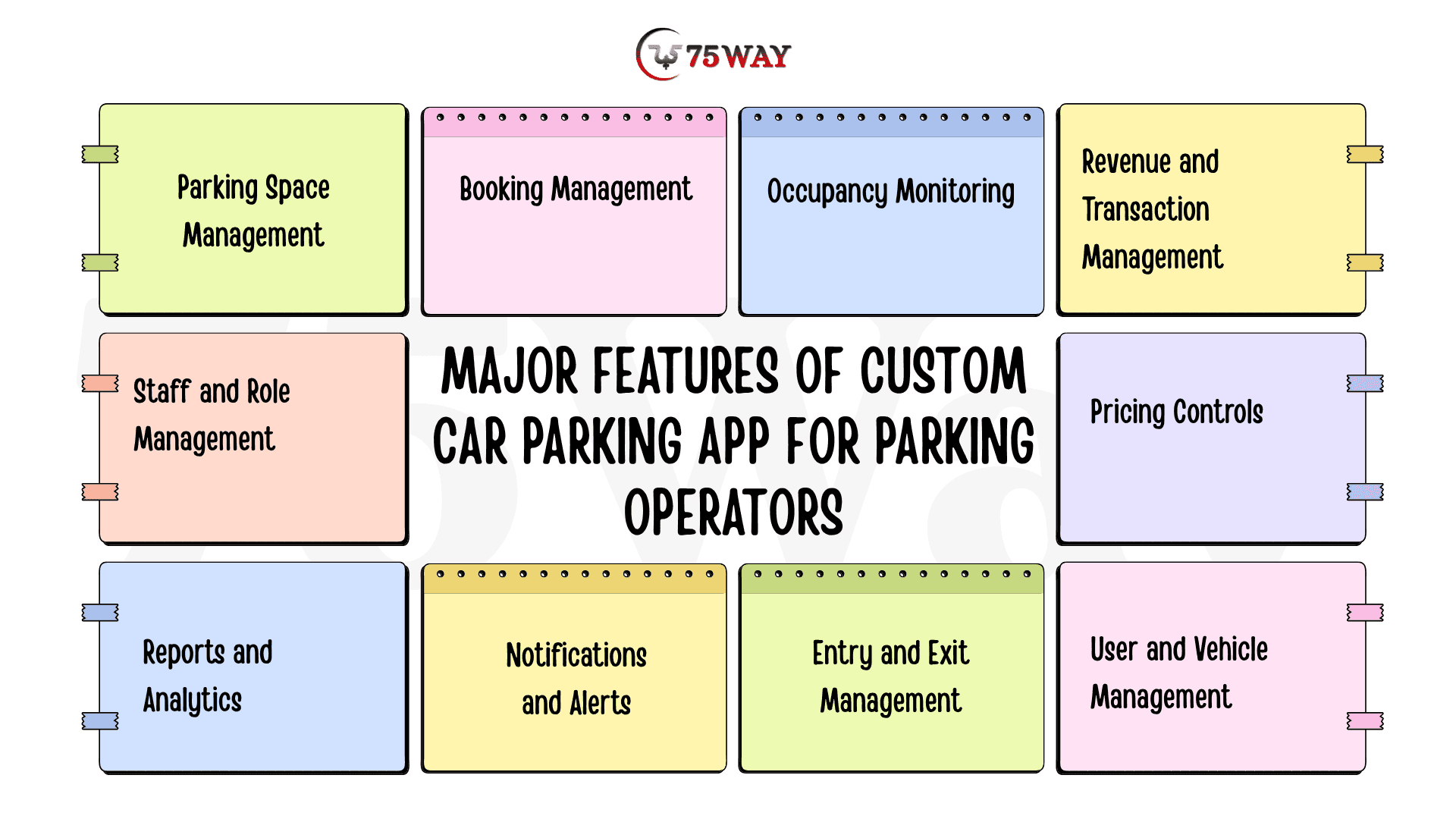
Major Features of Custom Car Parking App for Parking Operators
For parking operators, a useful car parking app should do more than help drivers find a space. It should give the business greater control over its parking inventory. Features such as real-time monitoring, digital payments, reservations, and reporting can directly support smoother operations and better revenue visibility. The features worth prioritizing in a custom car parking app are explained below.
1. Parking Space Management
Operators should be able to add parking locations, define spaces, update availability, and manage facility information from a centralized dashboard.
For facilities with different parking zones, floors, or space types, the system should provide enough structure to manage inventory without creating unnecessary administrative work.
2. Booking Management
Operators need visibility into upcoming, active, completed, canceled, and expired reservations.
This allows staff to understand expected occupancy and resolve booking-related issues.
3. Occupancy Monitoring
Occupancy dashboards can help operators understand how parking capacity is being used.
Historical occupancy data can reveal patterns such as busy hours, underused periods, seasonal changes, and demand around specific locations or events.
4. Revenue and Transaction Management
Parking operators need more than a list of bookings. They need to understand the financial performance of their facilities.
A management dashboard can track transactions, refunds, parking revenue, commissions, payment status, and other financial information relevant to the business model.
5. Pricing Controls
Operators should be able to configure parking rates without depending on a technical team for every pricing change.
Depending on the platform, pricing controls may support hourly rates, daily rates, event pricing, subscriptions, discounts, promotional codes, or other pricing structures.
6. User and Vehicle Management
Operators can view registered users, associated vehicles, booking activity, and account details from the management dashboard.
This makes it easier to verify reservations, handle customer issues, and manage parking access when multiple vehicles or user types are involved.
7. Entry and Exit Management
The system can help operators monitor vehicle entry and exit, verify reservations, and record parking session times.
When integrated with QR codes, license plate recognition, or access-control systems, this feature can reduce manual checks and make facility access easier to manage.
8. Notifications and Alerts
Operators should receive alerts about unusual occupancy levels, booking changes, payment issues, expiring sessions, or facility-related problems.
Timely notifications help staff respond before a small operational issue turns into a frustrating customer experience.
9. Reports and Analytics
A parking management dashboard should turn operational data into information that businesses can actually use.
Reports can cover occupancy, bookings, revenue, cancellations, peak periods, popular locations, and customer activity, helping operators identify what is working and where improvements may be needed.
10. Staff and Role Management
Large parking operations may involve administrators, facility managers, attendants, finance teams, and support staff.
Role-based access allows businesses to control what each team member can view or manage, reducing unnecessary access while keeping responsibilities clearly separated.
Features for Admins While Building Car Parking Application
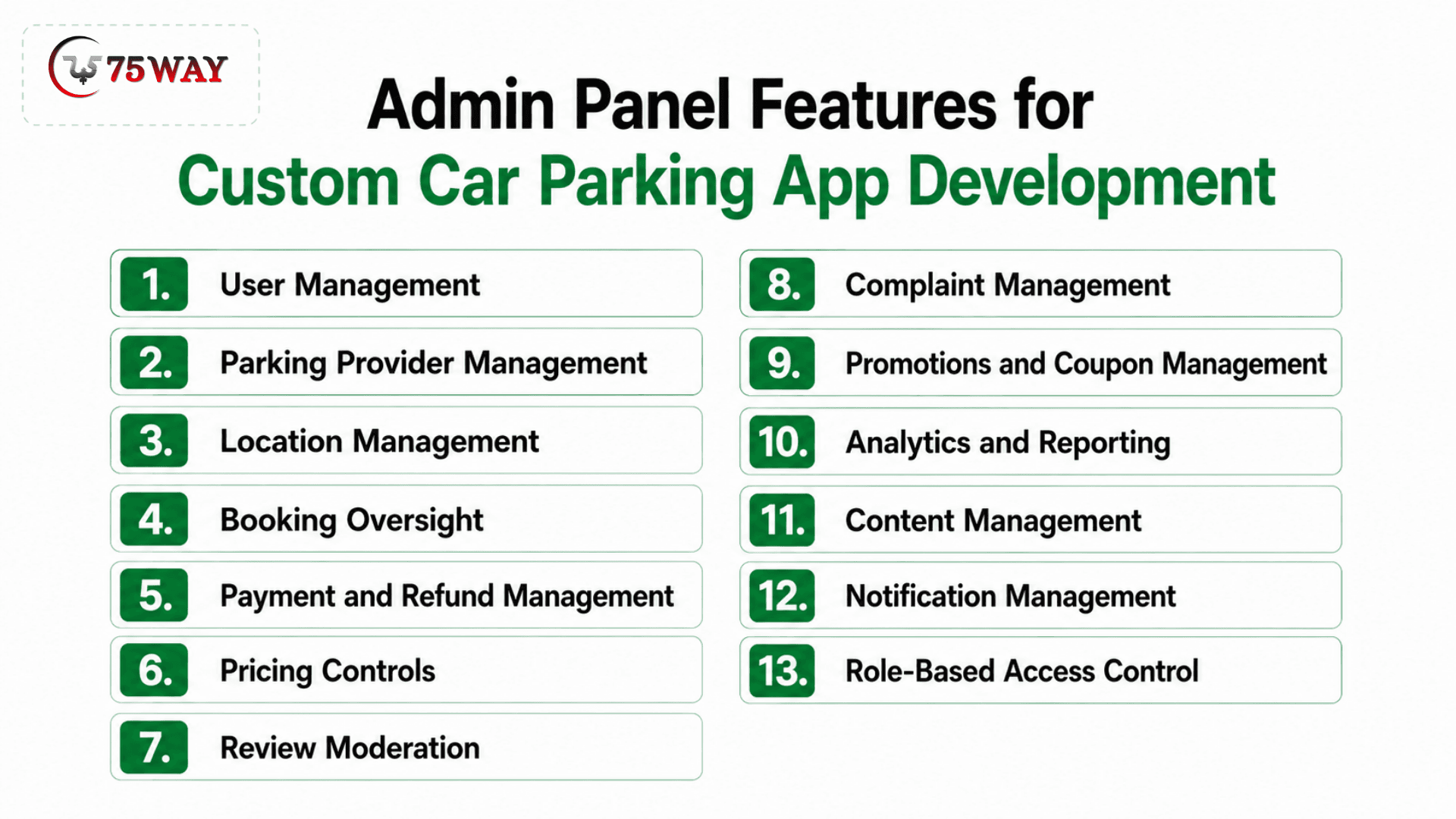
A well-planned admin system may include:
- User Management
The admin can keep track of everyone using the parking platform, from drivers to registered customers. User profiles can include booking history, account details, payment activity, and reported issues.
Suspicious, inactive, or problematic accounts can be reviewed when needed. This gives the business better control over who is using the platform.
- Parking Provider Management
Parking providers need their own space in the admin panel to manage listings and account information.
Admins can review provider details, monitor their listed parking spaces, and check whether information is still accurate. Provider activity and service quality can also be monitored over time. This helps keep the parking network reliable for customers.
- Location Management
Every parking space needs accurate location information so drivers can find and book it without confusion. Admins can add, update, organize, or remove parking locations as the network grows.
Details such as address, availability, facilities, and operating information can be maintained in one place. A well-managed location database also makes search and booking more reliable.
- Booking Oversight
The admin panel gives businesses a clear view of bookings happening across different parking locations. Teams can check booking status, customer details, parking information, cancellations, and completed reservations.
Issues such as duplicate bookings or unusual booking activity can be investigated from the same dashboard. This makes it easier to keep daily parking operations under control.
- Payment and Refund Management
Parking payments need to be easy to track when customers are booking spaces across different providers. Admins can monitor successful payments, failed transactions, refunds, and outstanding payment issues.
Refund requests can be reviewed according to the platform's policies before being processed. This also gives the business a clearer picture of its transaction flow.
- Pricing Controls
Parking prices can vary by location, time, demand, or parking provider, so admins need control over how rates are configured. The platform can support different pricing rules instead of forcing every parking space into one fixed rate.
Admins can update prices when providers change their charges or business conditions change. This keeps pricing flexible across the parking network.
- Review Moderation
Customer reviews can reveal both good parking experiences and problems that need attention. Admins can review submitted ratings and comments before deciding whether content violates platform guidelines.
Inappropriate, misleading, or abusive reviews can be handled without removing genuine customer feedback. This helps maintain useful and trustworthy information for future users.
- Complaint Management
Parking-related complaints can involve payments, space availability, provider behaviour, cancellations, or the actual parking experience. Admins can bring these issues into one place instead of handling them through scattered messages.
Each complaint can be assigned, investigated, updated, and closed with a recorded resolution. This gives both the business and customer a clearer trail of what happened.
- Promotions and Coupon Management
Promotions give parking platforms a way to attract new customers or encourage repeat bookings. Admins can create coupons, define their validity, set usage limits, and decide which bookings qualify for an offer.
Different campaigns can be created for locations, customer groups, or specific periods. The dashboard can also help the business monitor how these offers are being used.
- Analytics and Reporting
The admin dashboard can turn everyday parking activity into information the business can actually use. Reports can cover bookings, revenue, cancellations, occupancy, popular locations, customer activity, and provider performance. Looking at these patterns helps teams understand where demand is growing and where problems may be occurring. The same data can support pricing, marketing, and expansion decisions.
- Content Management
Parking platforms often need to update information without waiting for a developer to change every page. Admins can manage content such as FAQs, parking guidelines, promotional banners, help information, and other customer-facing details. Updates can be made as policies, services, or business information change. This keeps the app's information current without adding unnecessary development work.
- Notification Management
Notifications keep drivers, parking providers, and administrators informed about important activity. Admins can manage messages for booking confirmations, cancellations, payment updates, reminders, promotions, and operational alerts. Different notifications can be directed to the users who actually need them. This prevents important updates from getting lost while keeping communication relevant.
- Role-Based Access Control
Not every employee needs access to every part of the parking management system. Role-based access lets the business decide what administrators, support teams, finance staff, and other users can view or change. Sensitive areas such as payments, refunds, and user information can therefore have tighter access. This creates clearer responsibility while reducing unnecessary access to business data.
The admin panel should not simply replicate every function available to users. It should give internal teams the controls they need to monitor the platform, resolve issues, and manage the marketplace.
Security Features for a Car Parking App
Security should be considered during architecture and product planning rather than added at the end of development.
A parking platform may process account information, vehicle information, location data, reservation details, and payments. Businesses therefore need appropriate safeguards around authentication, authorization, data handling, payment processing, and administrative access.
Common considerations include:
- Secure user authentication
- Role-based permissions
- Encrypted data transmission
- Secure payment processing
- Session management
- Access controls
- Audit logs
- Fraud monitoring
- Secure APIs
- Regular security testing
The exact implementation depends on the application's architecture, integrations, data flows, and regulatory requirements.
Advanced Features to Consider in AI-Powered Car Parking App Creation
Not every parking startup needs every advanced feature on day one. The right additions depend on the business model and operating environment.
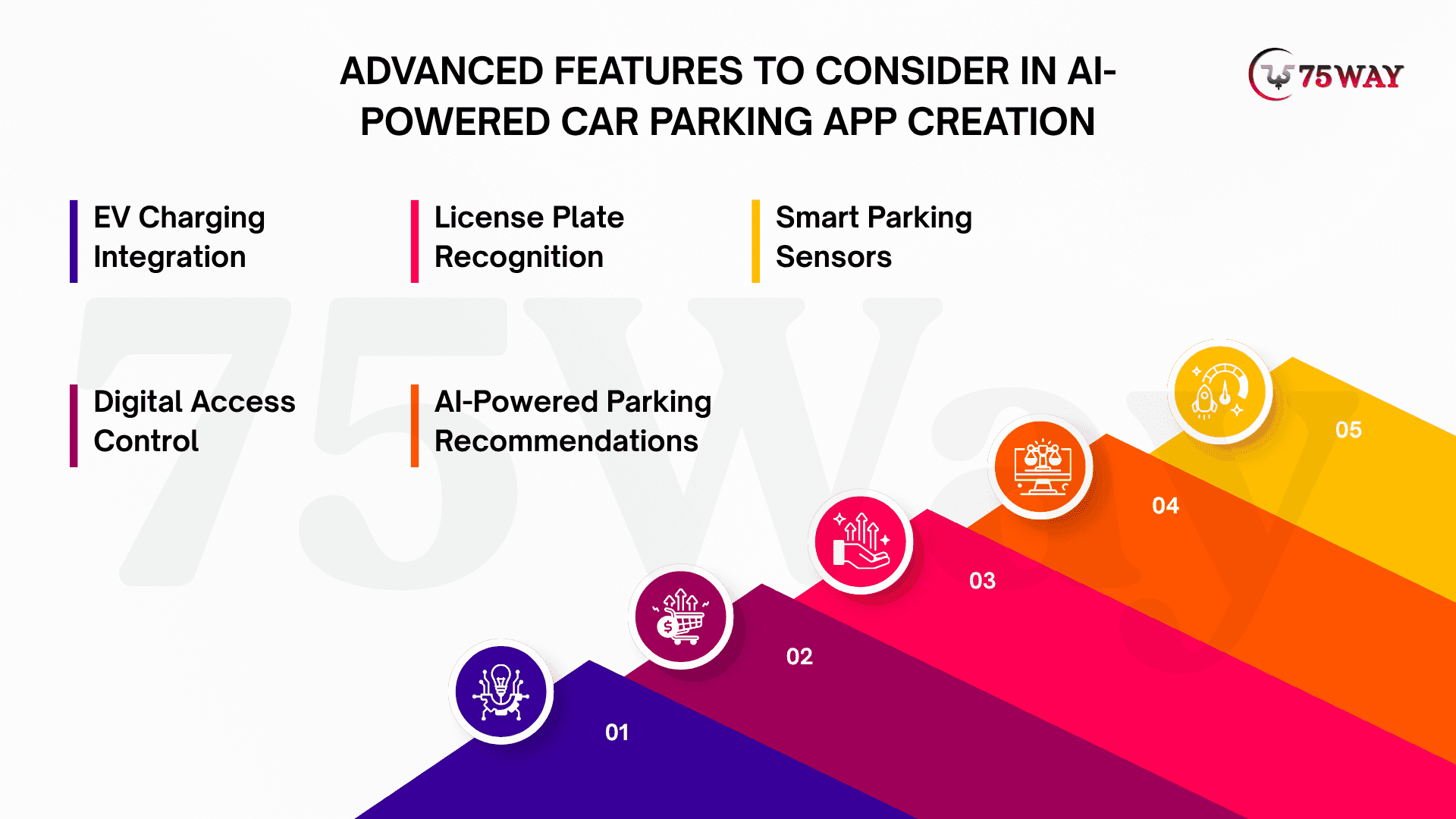
- EV Charging Integration
As EV adoption grows, parking and charging can become part of the same customer journey.
An app can show charging availability alongside parking availability and allow users to identify facilities with compatible charging options.
- License Plate Recognition
License plate recognition can help automate entry and exit at supported facilities.
Instead of requiring a physical ticket, the system can identify an authorized vehicle and associate the session with the relevant reservation or account.
- Smart Parking Sensors
Sensors can provide occupancy information for individual spaces or parking areas.
When integrated correctly, sensor data can support real-time availability and improve the accuracy of parking information shown to users.
- Digital Access Control
Parking apps can connect reservations with gates, barriers, QR codes, or other supported access technologies.
This can reduce friction between booking a space and actually entering the facility.
- AI-Powered Parking Recommendations
AI can analyze factors such as location, availability, historical demand, pricing, and user preferences to recommend suitable parking options.
For example, instead of showing every nearby garage, the platform could prioritize options that balance distance, price, availability, and the user's previous preferences.
AI should solve a real product problem rather than being added simply because it is an emerging technology.
How to Prioritize Features for Your Parking App?
Feature prioritization should start with the parking problem your business actually needs to solve, not with a long list of app capabilities. The right choices depend on your users, parking operations, revenue model, and development budget. The approach below explains how to decide which features deserve priority first.
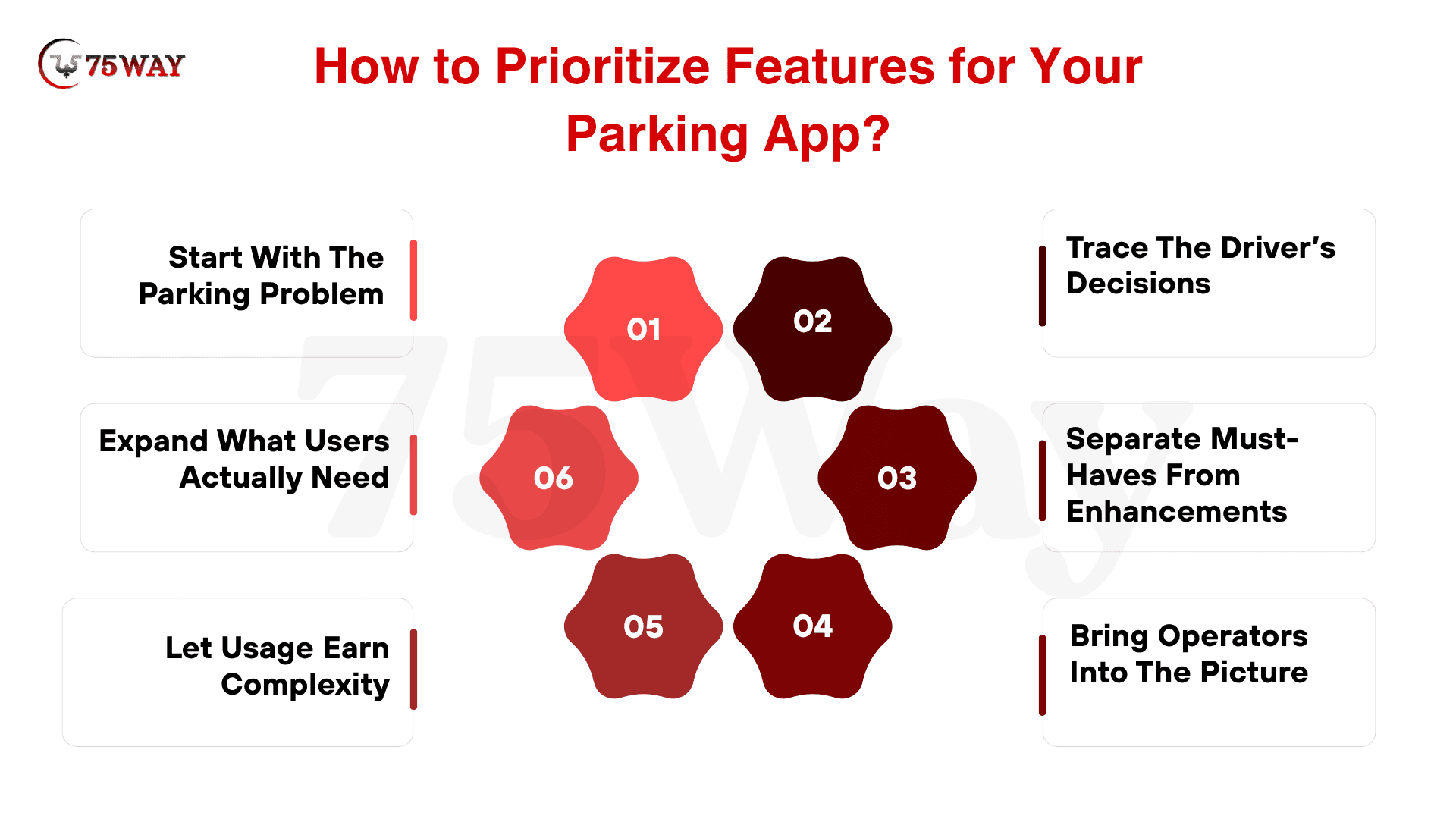
1. Start With The Parking Problem
Before listing features, decide what problem the app must solve first. A platform built around space discovery needs different priorities from one focused on reservations, parking operators, payments, or improving occupancy across multiple locations.
2. Trace The Driver’s Decisions
Think about what a driver needs at each moment, from searching nearby spaces to confirming a reservation and reaching the facility. Features that remove friction from these decisions deserve attention before secondary conveniences.
3. Separate Must-Haves From Enhancements
Your first release does not need every feature competitors offer. Put registration, parking discovery, availability, maps, booking, payments, notifications, and booking history ahead of features that improve the experience without being essential to completing it.
4. Bring Operators Into The Picture
A parking app also has a business side that cannot be ignored. Once the customer journey is covered, consider operator dashboards, space management, pricing, revenue tracking, reviews, support, promotions, and performance reporting.
5. Let Usage Earn Complexity
Advanced technology makes more sense when real usage creates enough data and operational experience to support it. Sensors, automated entry, license plate recognition, dynamic pricing, EV charging, recommendations, and occupancy prediction can then be introduced with purpose.
6. Expand What Users Actually Need
Feature priorities should change as the parking platform gathers bookings, feedback, operational data, and provider input. Review what creates value, remove what remains unused, and invest the next development phase where demand is clearest.
Final Thoughts
The essential features of car parking app development should support one simple objective: help drivers find and use parking with less uncertainty while giving businesses better control over their parking operations.
Real-time availability, location search, maps, reservations, navigation, and digital parking passes form the foundation of the customer experience. Operator dashboards, pricing controls, occupancy monitoring, analytics, security, and integrations provide the infrastructure needed to run the business behind that experience.
The right feature set will ultimately depend on your business model. A parking marketplace, private garage network, smart-city solution, workplace parking platform, and EV parking application may share the same foundation but require very different capabilities at scale.
For that reason, businesses should define the target users, parking supply, revenue model, operational workflow, and launch objectives before finalizing the product scope.
Turn your parking app idea into a scalable digital product with a trusted on-demand app development company that plans, builds, and launches your solution.
Frequently Asked Questions (FAQs)
What Are The Essential Features of A Car Parking App?
Essential features typically include user registration, parking search, real-time availability, maps, filters, reservations, navigation, payments, notifications, booking history, and customer support. Business-focused platforms also need operator and admin management features.
How Does Real-Time Availability Work In A Parking App?
Real-time availability can come from parking management systems, sensors, cameras, manual operator updates, or integrated third-party platforms. The application processes that information and presents current parking status to users.
Should A Parking App Include Online Booking?
Yes, if the business model supports reservable parking. Online booking allows drivers to secure a space before arrival and gives operators greater visibility into upcoming demand.
Can A Parking App Support Multiple Parking Operators?
Yes. A marketplace-style parking platform can onboard multiple operators and allow them to manage locations, spaces, availability, pricing, and bookings through dedicated business tools.
Can Parking Apps Integrate EV Charging?
Yes. Parking applications can integrate EV charging information so users can identify locations that provide both parking and charging. More advanced platforms can connect charging availability with reservations and payment workflows.
How Can A Parking App Make Money?
Common models include booking commissions, transaction fees, parking subscriptions, operator SaaS fees, advertising, premium memberships, and partnerships. The best model depends on whether the platform operates as a marketplace, software provider, or parking operator.
How Much Does Car Parking App Development Cost?
There is no fixed development cost because the scope varies widely. A basic parking application requires fewer resources than a platform involving real-time availability, multiple operators, payment systems, IoT sensors, automated access, and advanced analytics.
What Should Businesses Build First In A Parking App?
Businesses should usually begin with the core parking journey: location discovery, availability, parking details, booking, navigation, payment, and notifications. Operator and advanced smart-parking capabilities can then be introduced based on validated business requirements.
Is AI Necessary For A Car Parking App?
AI is not mandatory for every parking app. It becomes useful when the business has a clear application for recommendations, demand forecasting, dynamic pricing, customer support, or other data-driven capabilities.
What Should Businesses Consider Before Developing A Parking App?
Businesses should define their target users, parking supply, operating model, revenue strategy, geographic scope, integrations, security requirements, and minimum viable product before finalizing development requirements.